
建立時間選擇器
MIT App Inventor 2
http://ai2.appinventor.mit.edu/
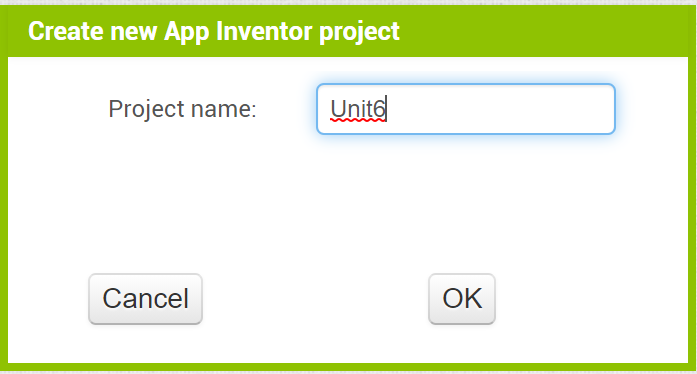
首先建立一個專案
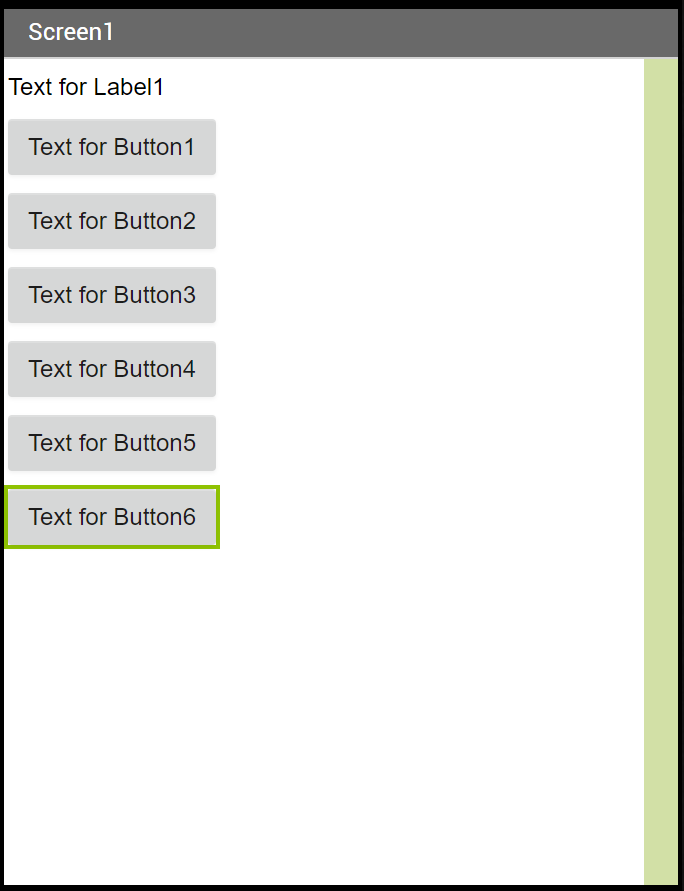
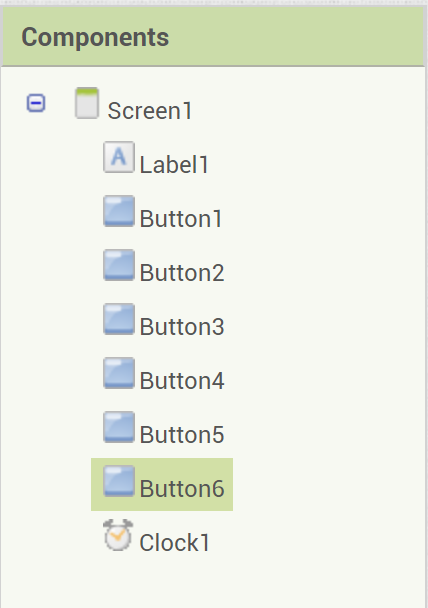
放一個 Label 以及六個 Button 到螢幕上
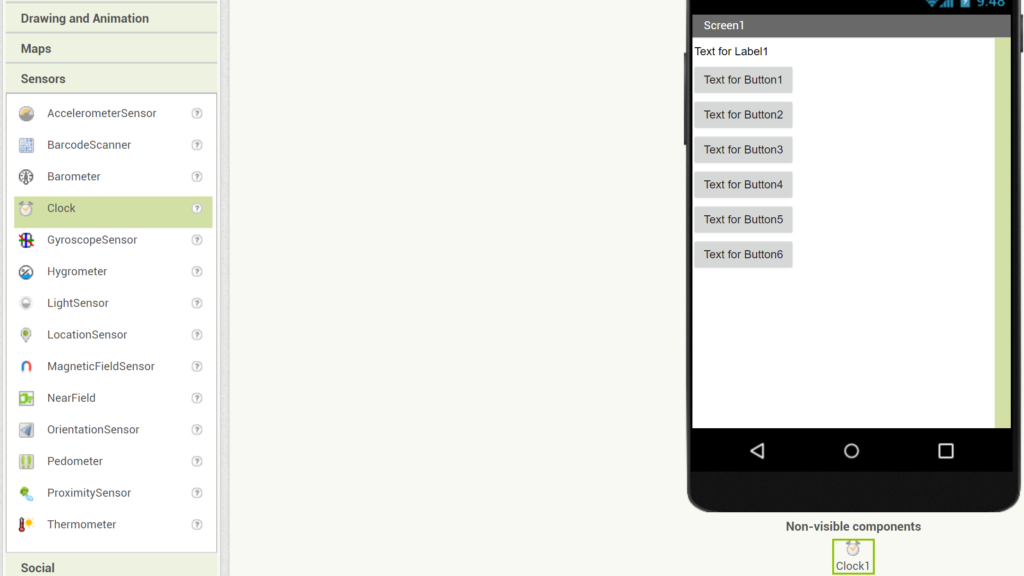
選擇 Sensors 底下的 Clock 放到螢幕上,這是屬於不可視元件
將 Label1 的文字設定成空字串,六個按鈕文字分別設定為 Year Month Day Hour Minute Second
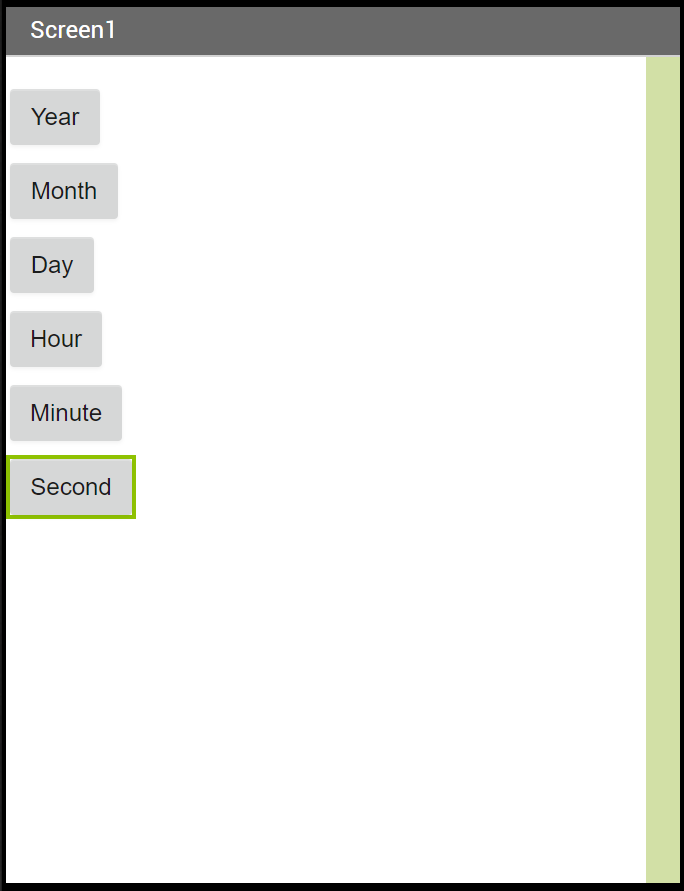
元件結構
Blocks / 程式碼部分
選擇 When Button1.Click 放到畫面上,裡面放上 set Label1.Tetx to

點擊 Clock1 元件,選擇 call Click1.Year instant 放到 to 後面
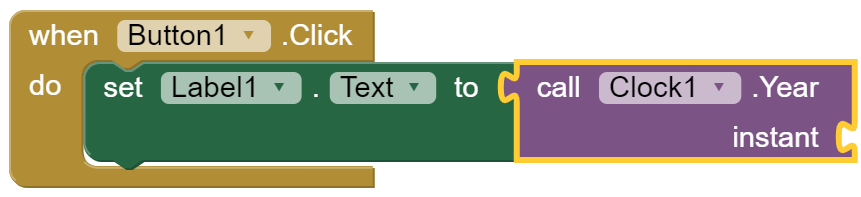
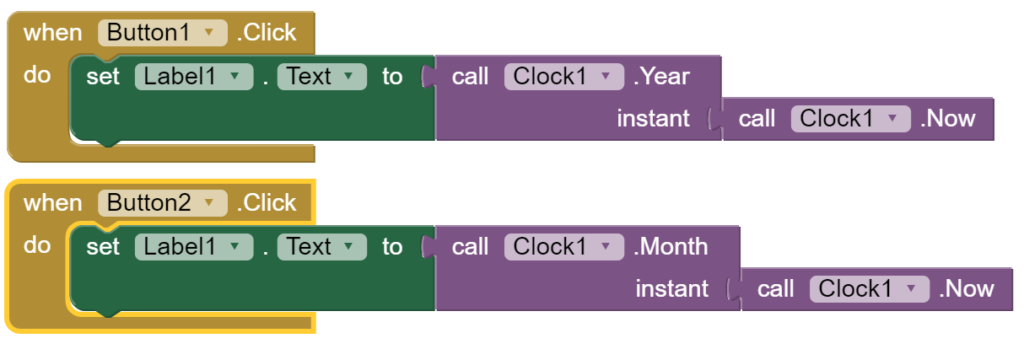
再點擊 Clock1 元件裡面的 call Clock1.Now 放到 instant 後面

接下來放一個 Button2.Click 的事件,裡面放一樣的東西,把 Year 改成 Month
接下來 Button3.Click 放 DatOfMonth
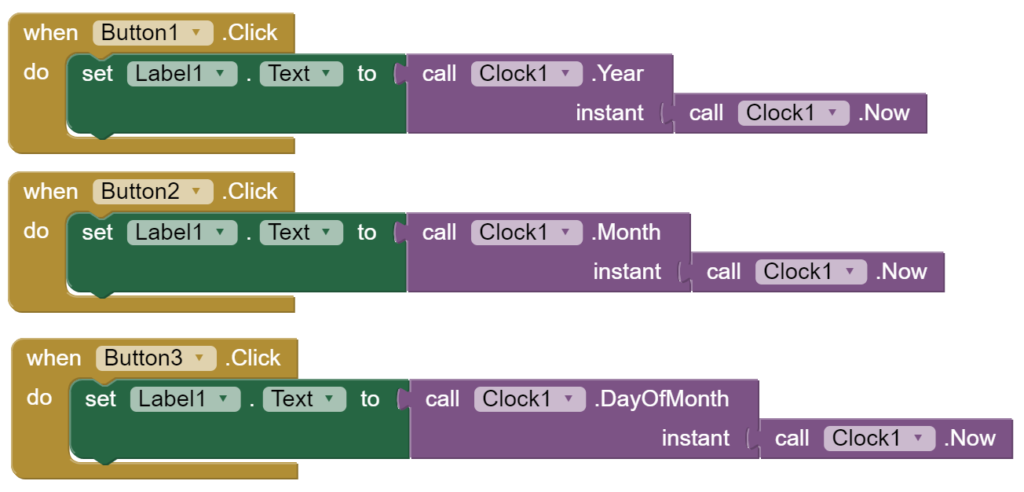
Button4.Click 放 Hour,Button5.Click 放 Minute,Button6.Click 放 Second
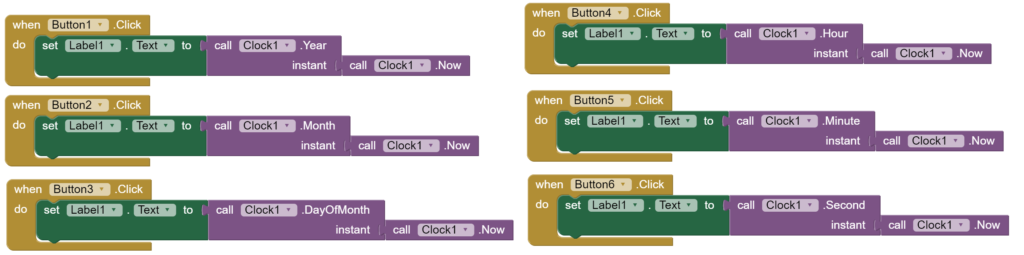
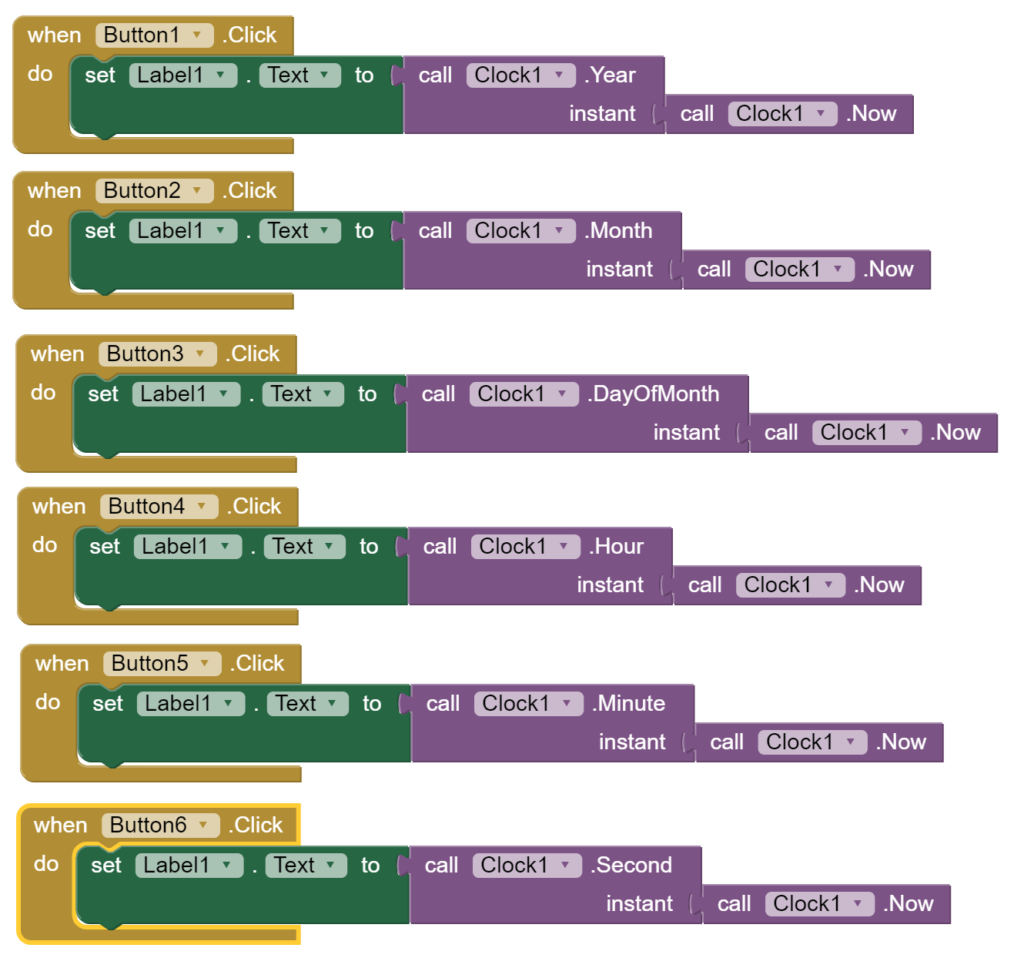
完整程式碼
手機安裝畫面(影片呈現)
範例檔案下載:點我下載

資工系所碩二畢
-
車牌回來了
但是現在汽門漏氣,維修ing...
-
車牌回來了
但是現在汽門漏氣,維修ing...
Latest posts by SHXJ (see all)
- 受保護的內容: NAS 版 Mathbot 管理網站與 Linebot 啟動方法 - 2024 年 11 月 15 日
- Realtime 啥鬼的 - 2021 年 6 月 15 日
- nodejs 數學遊戲 - 2021 年 6 月 8 日