
文章網址: https://efficientcoder.net/django-crud-generic-views-tutorial/
專案基本設定
直接使用 網站開發專題 week5 自訂管理介面 的專案
然後直接新增一個 app 名稱 contacts
python manage.py startapp contacts修改 mysite/urls.py 檔案,覆蓋以下程式碼
from django.contrib import admin
from django.urls import include, path
from django.shortcuts import redirect
urlpatterns = [
path('', lambda req: redirect('/contacts/')),
path('contacts/', include('contacts.urls')),
path('polls/', include('polls.urls')),
path('admin/', admin.site.urls),
]
開啟 mysite/settings.py,在 INSTALLED_APPS 加入一行
'contacts.apps.ContactsConfig',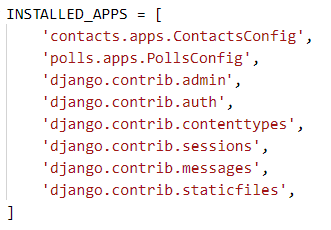
新增一個 contacts/urls.py 檔案,貼上以下程式碼
from django.urls import path
from . import views
app_name = 'contacts'
urlpatterns = [
]
開啟 contacts/models.py,覆蓋以下程式碼
from django.db import models
from django.urls import reverse
class  Contact(models.Model):
name = models.CharField(max_length=100)
email = models.EmailField()
address = models.CharField(max_length=100)
phone = models.CharField(max_length=50)
def get_absolute_url(self):
return reverse('contacts:detail',  kwargs={'pk': self.pk})
執行以下的命令建立資料庫
python manage.py makemigrations
python manage.py migrate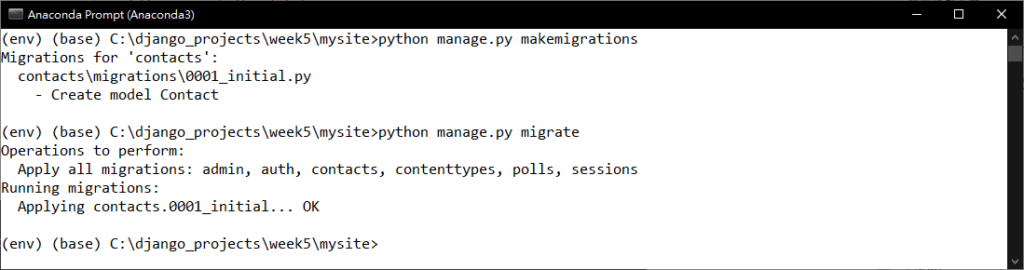
將 contacts/urls.py 檔案覆蓋以下程式碼
from django.urls import path
from . import views
app_name = 'contacts'
urlpatterns = [
path('', views.ContactList.as_view(), name='list'),
path('<int:pk>/', views.ContactDetail.as_view(), name='detail'),
path('create', views.ContactCreate.as_view(), name='create'),
path('<int:pk>/update/', views.ContactUpdate.as_view(), name='update'),
path('<int:pk>/delete/', views.ContactDelete.as_view(), name='delete'),
]
開啟 contacts/admin.py,覆蓋以下程式碼
from django.contrib import admin
from .models import Contact
admin.site.register(Contact)
開啟 contacts/views.py ,覆蓋以下程式碼
from django.shortcuts import render
from django.urls import reverse_lazy
from django.views.generic import ListView, DetailView
from django.views.generic.edit import CreateView, UpdateView, DeleteView
from .models import Contact
# Create your views here.
class ContactList(ListView):
model = Contact
class ContactDetail(DetailView):
model = Contact
class ContactCreate(CreateView):
fields='__all__'
model = Contact
success_url = reverse_lazy('contacts:list')
class ContactUpdate(UpdateView):
fields='__all__'
model = Contact
class ContactDelete(DeleteView):
model = Contact
success_url = reverse_lazy('contacts:list')
新增設定樣板檔案
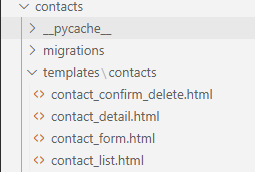
在 contacts 底下加入 templates 目錄,以及在裡面再新增一個目錄 contacts
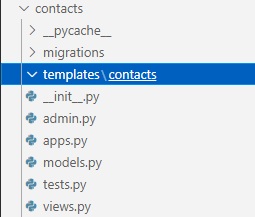
在 contacts/templates/contacts/ 底下新增一個檔案 contact_list.html
並且貼上以下的程式碼
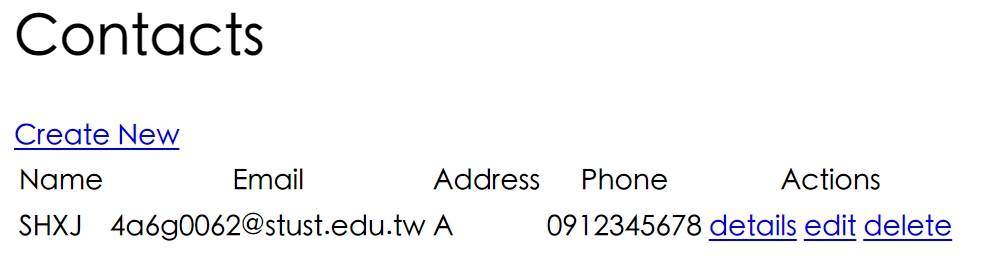
<h1>Contacts</h1>
<table>
<thead>
<tr>
<th>Name</th>
<th>Email</th>
<th>Address</th>
<th>Phone</th>
<th>Actions</th>
</tr>
</thead>
<tbody>
<a  href="/contacts/create">Create New</a>
{% for contact in object_list %}
<tr>
<td>{{ contact.name }}</td>
<td>{{ contact.email }}</td>
<td>{{ contact.address }}</td>
<td>{{ contact.phone }}</td>
<td>
<a  href="{% url "contacts:detail"  contact.id  %}">details</a>
<a  href="{% url "contacts:update"  contact.id  %}">edit</a>
<a  href="{% url "contacts:delete"  contact.id  %}">delete</a>
</td>
</tr>
{% endfor %}
</tbody>
</table>
在 contacts/templates/contacts/ 底下新增一個檔案 contact_detail.html
並貼上以下程式碼
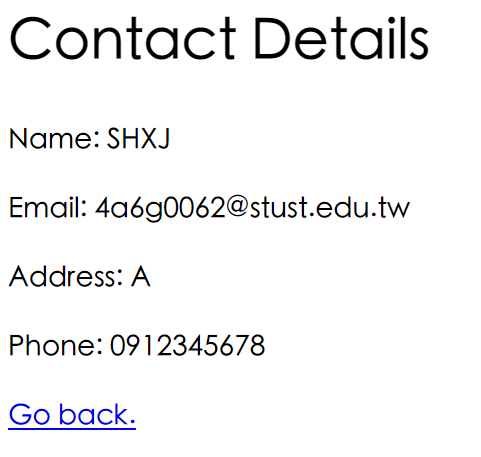
<h1>Contact Details</h1>
<p>Name: {{object.name}}</p>
<p>Email: {{object.email}}</p>
<p>Address: {{object.address}}</p>
<p>Phone: {{object.phone}}</p>
<a  href="/">Go back.</a>
在 contacts/templates/contacts/ 底下新增一個檔案 contact_form.html
並貼上以下程式碼
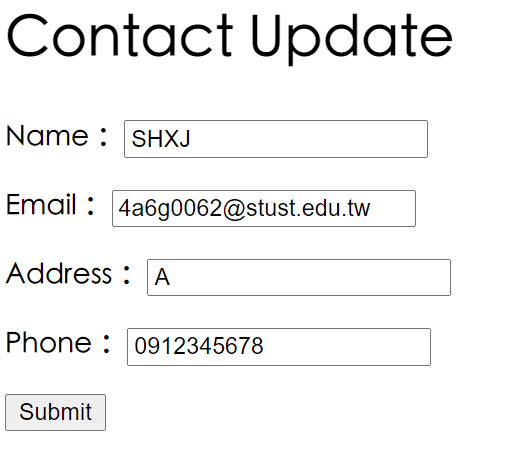
<h1>Contact Update</h1>
<form  method="post">
{% csrf_token %}
{{ form.as_p }}
<input  type="submit"  value="Submit"  />
</form>
在 contacts/templates/contacts/ 底下新增一個檔案 contact_confirm_delete.html
並貼上以下程式碼
<h1>Contact Delete?</h1>
<form  method="post">
{% csrf_token %}
Are you sure you want to delete this contact?
<input  type="submit"  value="Submit"  />
</form>
以下是樣板完成的結果
測試結果
開啟以下網址可以開啟建立資料的表格
http://127.0.0.1:8000/contacts/create
依序輸入表格中的資料並且按下 Submit 即可成功建立資料
資料詳細
按下 Go back. 或是回到 http://127.0.0.1:8000/contacts/,即可看到剛剛新增的資料

-
車牌回來了
但是現在汽門漏氣,維修ing...
- 受保護的內容: NAS 版 Mathbot 管理網站與 Linebot 啟動方法 - 2024 年 11 月 15 日
- Realtime 啥鬼的 - 2021 年 6 月 15 日
- nodejs 數學遊戲 - 2021 年 6 月 8 日
在〈簡單模組_單表格資料庫〉中有 1 則留言