
素材下載


作業需求
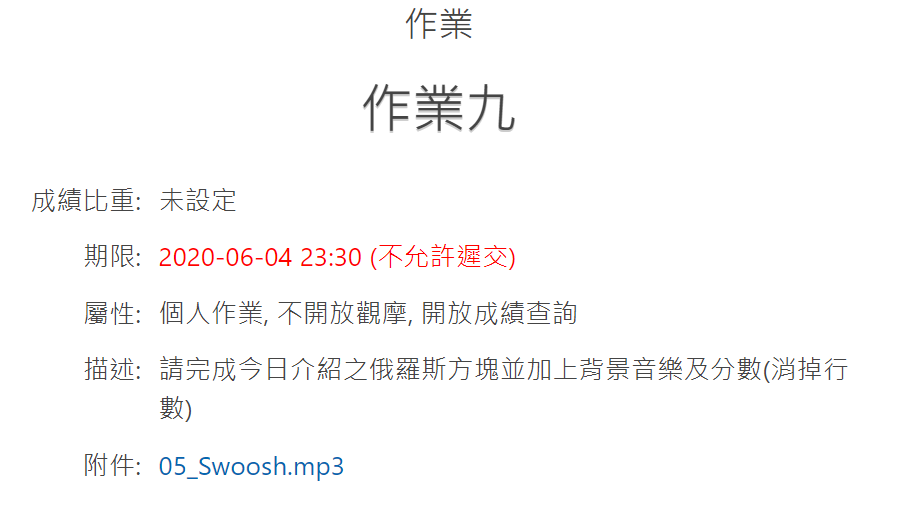
STARTO!
遊戲畫面設計
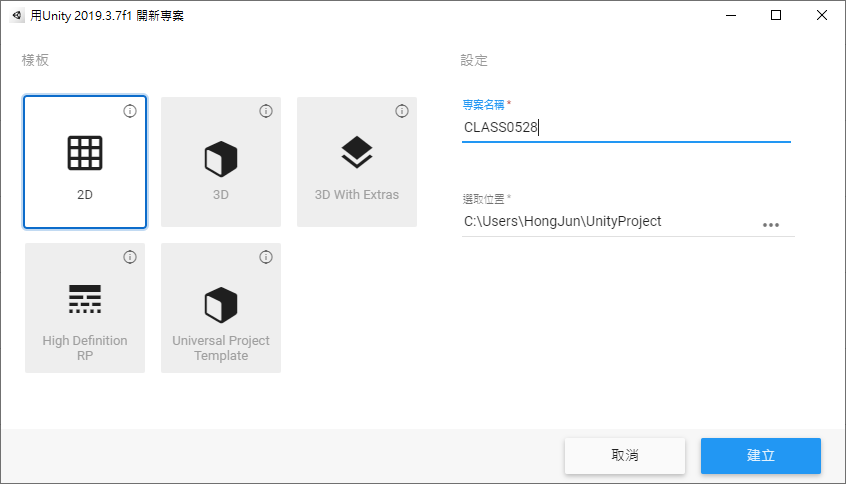
新建一個 2D Unity 專案
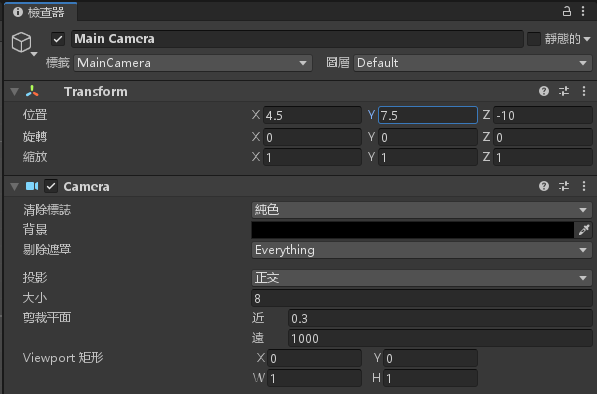
更改 MainCamera 顏色為黑色,大小調整為 8,位置 X = 4.5 ,Y = 7.5
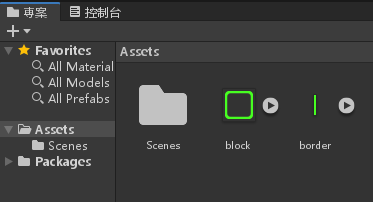
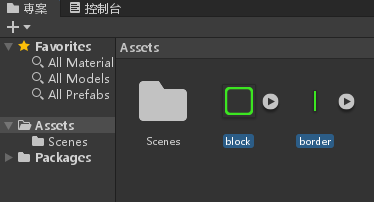
將開頭下載的素材丟進專案
選取兩張圖片
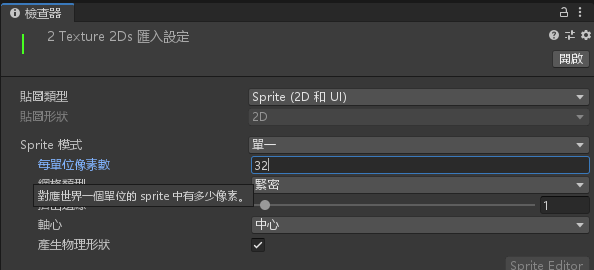
將每單位像素數改為 32
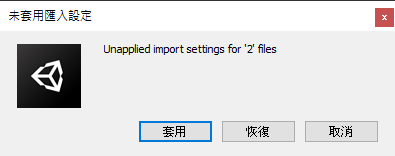
選取套用
拖曳兩個 border.png 到階層視窗
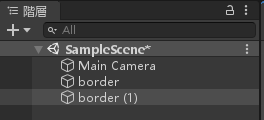
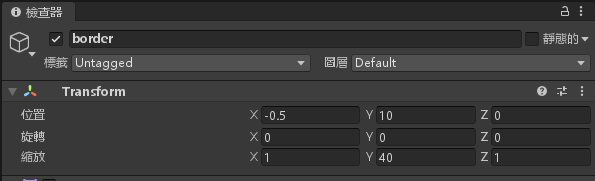
將 border 物件的位置 X = -0.5,Y = 10,縮放 Y = 40
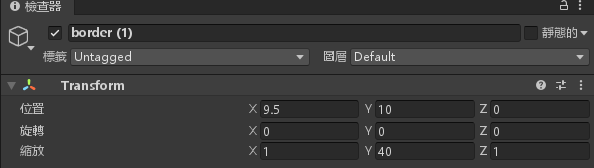
將 border (1) 物件的位置 X = 9.5,Y = 10,縮放 Y = 40
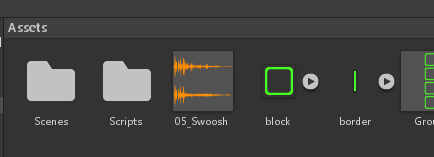
將開頭下載的 05_Swoosh.mp3 拉進專案視窗
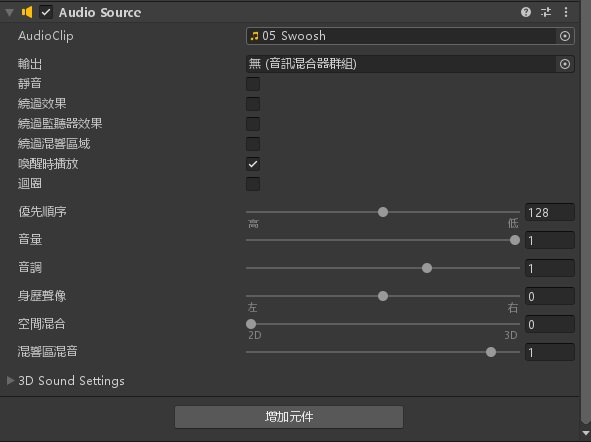
將 MainCamera 增加元件>音訊>音訊源
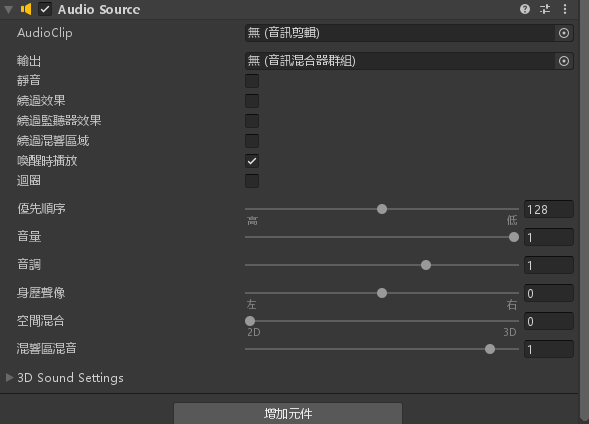
將 AudioClip 設定為 05_Swoosh.mp3
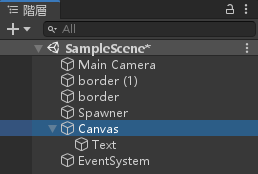
在階層視窗按下滑鼠右鍵>UI>文字
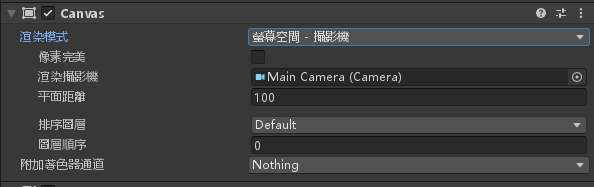
設定 Canvas 的渲染模式為螢幕空間 – 攝影機,渲染攝影機設為 MainCamera
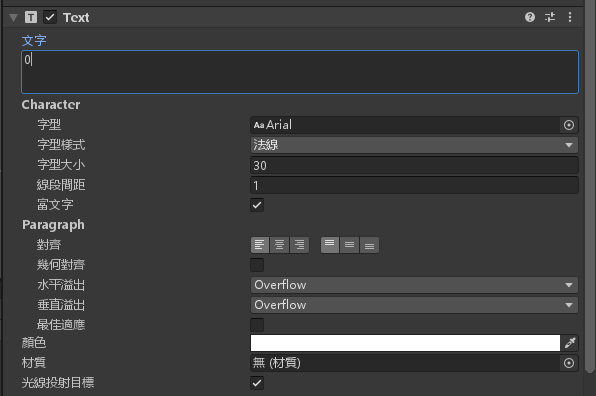
設定 Text 物件的屬性字型大小為30,顏色白色,水平與垂直溢出設定為 Overflow
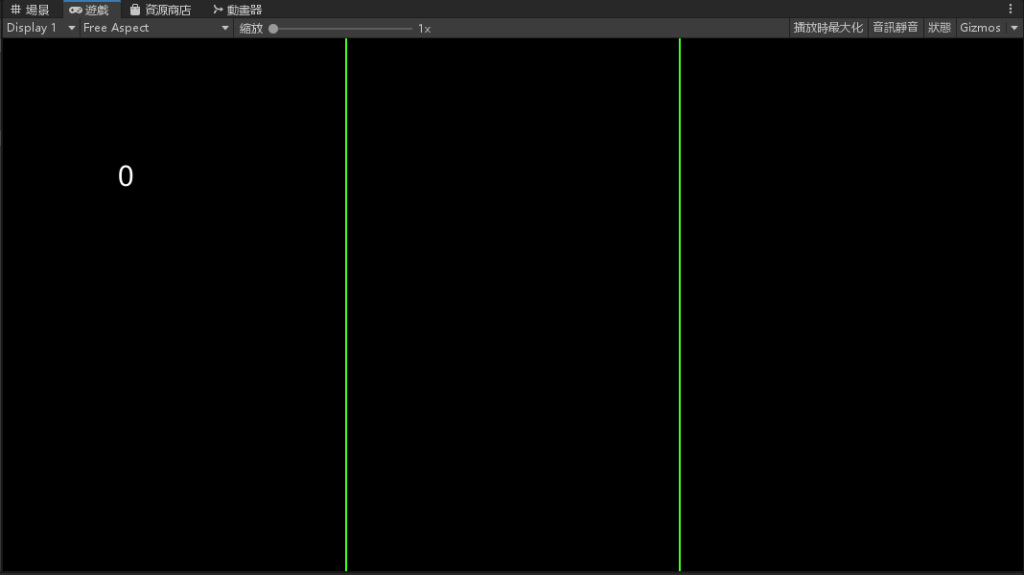
調整一下 Text 的位置
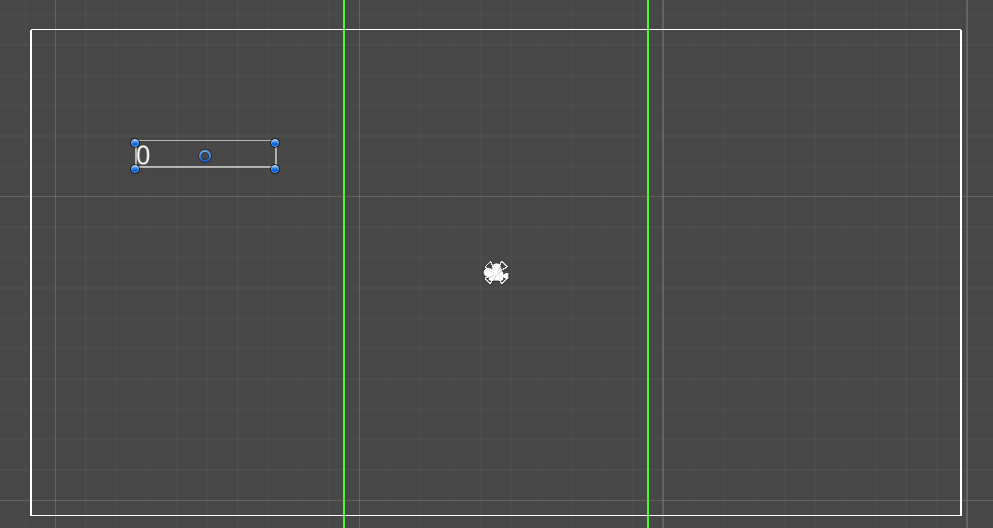
畫面設計完成
俄羅斯方塊物件製作
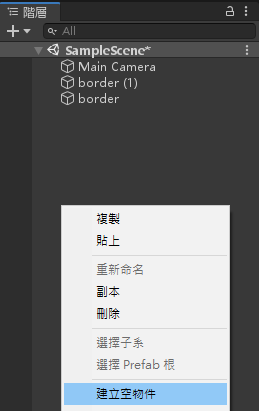
在階層視窗按下滑鼠右鍵>建立空物件
拉四次 block.png 到 Gameobject 底下
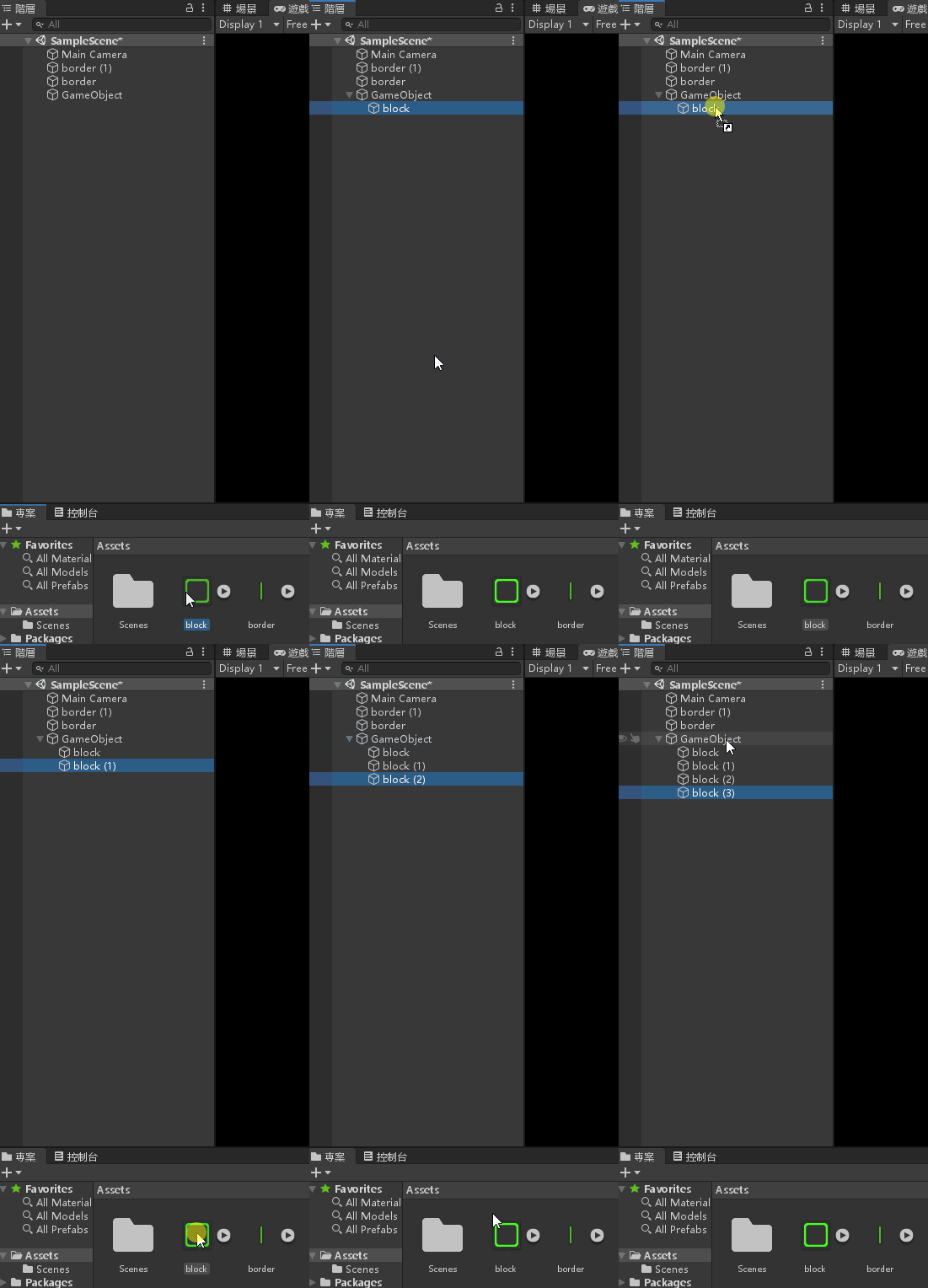
修改四個物件的位置屬性如下
- block 物件 X = 0,Y = 0
- block (1) 物件 X = 0,Y = 1
- block (2) 物件 X = 1,Y = 0
- block (3) 物件 X = 1,Y = 1
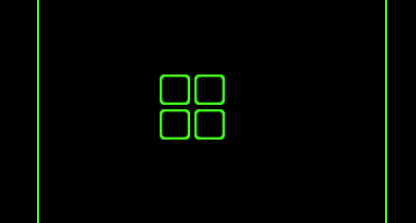
重新命名 GameObject 物件名稱為 GroupO

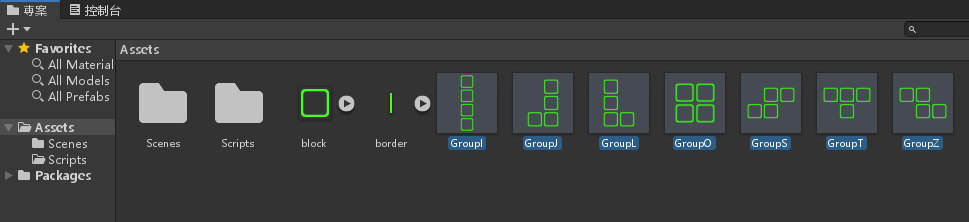
將 GroupO 拉到專案資料夾製作預製物件
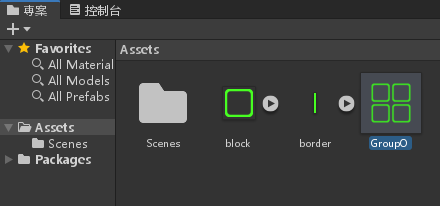
重複以上過程,製作 GroupI、GroupJ、GroupL、GroupS、GroupT、GroupZ
GroupI 屬性
- block 物件 X = 0,Y = 0
- block (1) 物件 X = 0,Y = 1
- block (2) 物件 X = 0,Y = 2
- block (3) 物件 X = 0,Y = 3
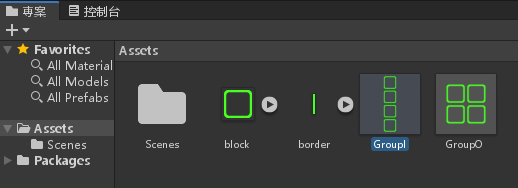
GroupJ 屬性
- block 物件 X = 0,Y = 0
- block (1) 物件 X = 0,Y = 1
- block (2) 物件 X = 0,Y = 2
- block (3) 物件 X = -1,Y = 0
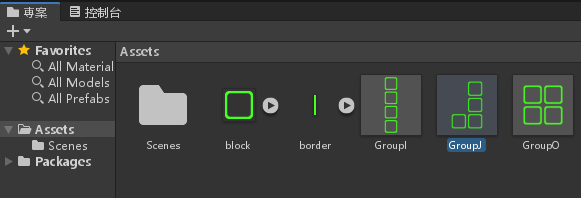
GroupL 屬性
- block 物件 X = 0,Y = 0
- block (1) 物件 X = 0,Y = 1
- block (2) 物件 X = 0,Y = 2
- block (3) 物件 X = 1,Y = 0
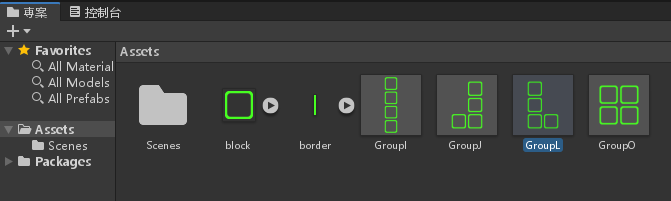
GroupS 屬性
- block 物件 X = 0,Y = 0
- block (1) 物件 X = 0,Y = 1
- block (2) 物件 X = 1,Y = 1
- block (3) 物件 X = -1,Y = 0
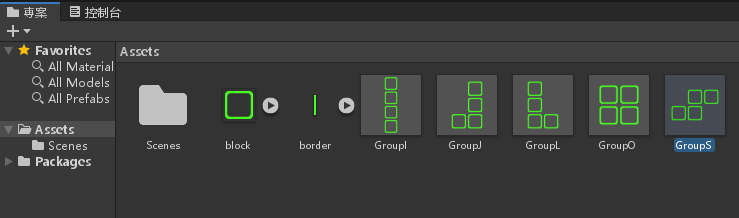
GroupZ 屬性
- block 物件 X = 0,Y = 0
- block (1) 物件 X = 0,Y = 1
- block (2) 物件 X = -1,Y = 1
- block (3) 物件 X = 1,Y = 0
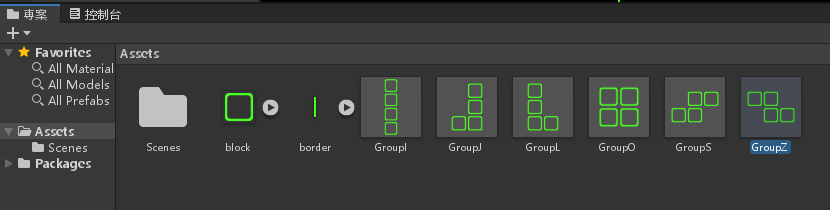
GroupT 屬性
- block 物件 X = 0,Y = 0
- block (1) 物件 X = 1,Y = 0
- block (2) 物件 X = 2,Y = 0
- block (3) 物件 X = 1,Y = -1
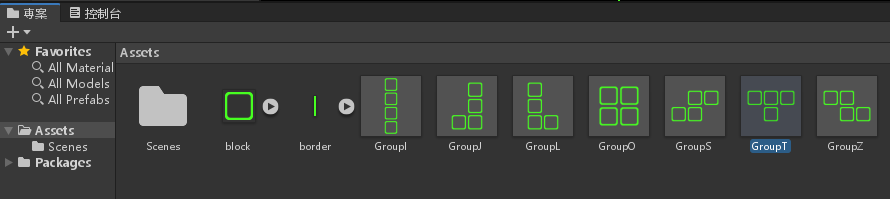
製作生成器 (Spawner)
在階層視窗按下滑鼠右鍵>建立空物件
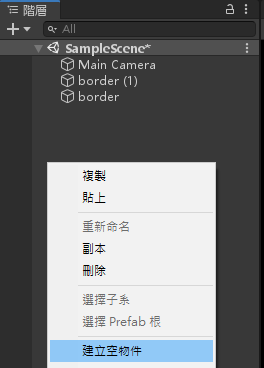
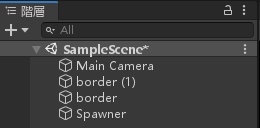
命名為 Spawner
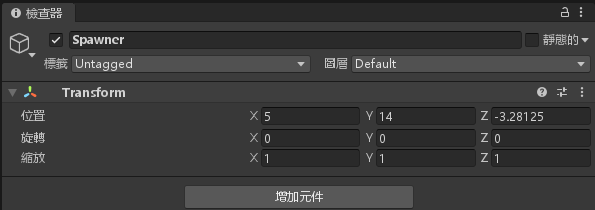
設定 Spawner 屬性,位置 X = 5,Y = 14
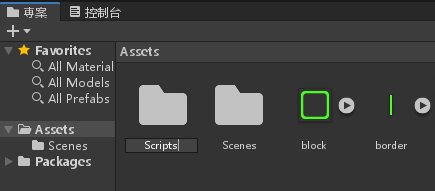
新建一個 Scripts 資料夾
建立一個腳本名為 Spawner.cs 並加入以下程式碼
using System;
using System.Collections;
using System.Collections.Generic;
using UnityEngine;
public class Spawner : MonoBehaviour
{
// Start is called before the first frame update
public GameObject[] groups;
void Start()
{
spwanNext();
}
public void spwanNext()
{
int i = UnityEngine.Random.Range(0, groups.Length);
Instantiate(groups[i], transform.position, Quaternion.identity);
}
// Update is called once per frame
void Update()
{
}
}
儲存腳本並將 Spawner.cs 腳本拉進 Spawner 物件底下
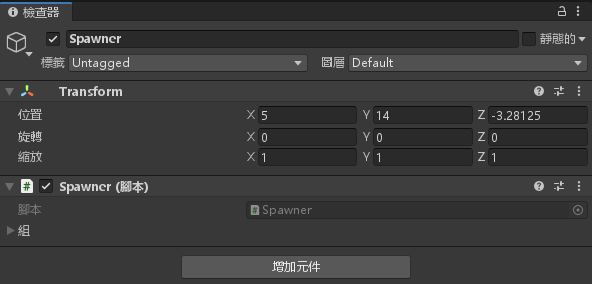
點下”組”
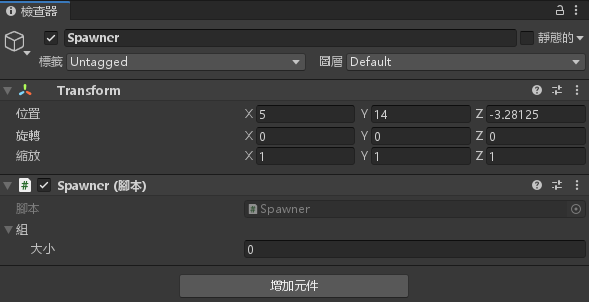
大小輸入 7
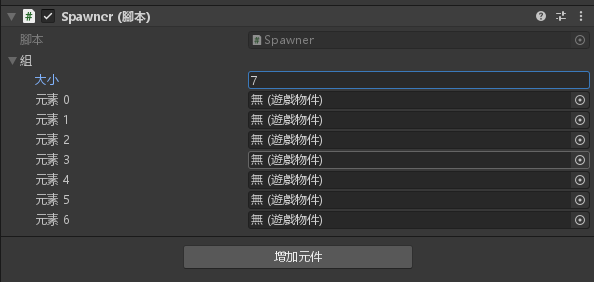
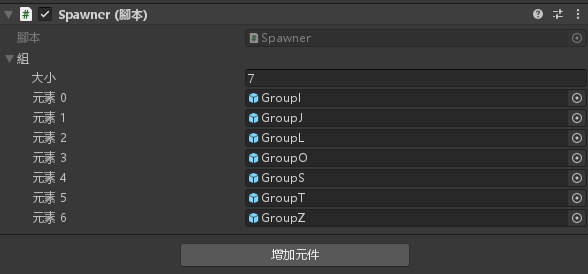
將剛剛製作的七個預製物件拉進去
製作網格 (Grid) 與群組 (Group) 腳本
新建一個腳本 Grid_Scripts.cs 腳本,輸入以下程式碼
using System.Collections;
using System.Collections.Generic;
using UnityEngine;
using UnityEngine.UI;
public class Grid_Scripts : MonoBehaviour
{
// Start is called before the first frame update
public static int w = 10;
public static int h = 20;
public static Transform[,] grid = new Transform[w, h];
public static int score = 0;
private static Text score_display;
public static Vector2 roundVec2(Vector2 v)
{
return new Vector2(Mathf.Round(v.x), Mathf.Round(v.y));
}
public static bool insideBorder(Vector2 pos)
{
return ((int)pos.x >= 0 && (int)pos.x < w && (int)pos.y >= 0);
}
public static void deleteRow(int y)
{
for (int x = 0; x < w; ++x)
{
Destroy(grid[x, y].gameObject);
grid[x, y] = null;
}
}
public static void decreaseRow(int y)
{
for (int x = 0; x < w; ++x)
{
if (grid[x, y] != null)
{
grid[x, y - 1] = grid[x, y];
grid[x, y] = null;
grid[x, y - 1].position += new Vector3(0, -1, 0);
}
}
}
public static void decreaseRowAbove(int y)
{
for (int i = y; i < h; ++i)
{
decreaseRow(i);
}
}
public static bool isRowFull(int y)
{
for (int x = 0; x < w; ++x)
{
if (grid[x, y] == null)
return false;
}
return true;
}
public static void deleteFullRows()
{
for (int y = 0; y < h; ++y)
{
if (isRowFull(y))
{
score++;
deleteRow(y);
decreaseRowAbove(y + 1);
--y;
set_score();
}
}
}
static void set_score()
{
score_display = GameObject.Find("Text").GetComponent<Text>();
score_display.text = score.ToString();
}
void Start()
{
}
// Update is called once per frame
void Update()
{
}
}
新增一個 Group.cs 腳本,輸入以下程式碼
using System.Collections;
using System.Collections.Generic;
using UnityEngine;
public class Group : MonoBehaviour
{
// Start is called before the first frame update
float lastFall = 0;
bool isValidGridPos()
{
foreach (Transform child in transform)
{
Vector2 v = Grid_Scripts.roundVec2(child.position);
if (!Grid_Scripts.insideBorder(v))
return false;
if (Grid_Scripts.grid[(int)v.x, (int)v.y] != null &&
Grid_Scripts.grid[(int)v.x, (int)v.y].parent != transform)
return false;
}
return true;
}
void updateGrid()
{
for (int y = 0; y < Grid_Scripts.h; ++y)
for (int x = 0; x < Grid_Scripts.w; ++x)
if (Grid_Scripts.grid[x, y] != null)
if (Grid_Scripts.grid[x, y].parent == transform)
Grid_Scripts.grid[x, y] = null;
foreach (Transform child in transform)
{
Vector2 v = Grid_Scripts.roundVec2(child.position);
Grid_Scripts.grid[(int)v.x, (int)v.y] = child;
}
}
void Start()
{
if (!isValidGridPos())
{
Debug.Log("Game Over");
Destroy(gameObject);
}
}
// Update is called once per frame
void Update()
{
if (Input.GetKeyDown(KeyCode.LeftArrow))
{
transform.position += new Vector3(-1, 0, 0);
if (isValidGridPos())
updateGrid();
else
transform.position += new Vector3(1, 0, 0);
}
else if (Input.GetKeyDown(KeyCode.RightArrow))
{
transform.position += new Vector3(1, 0, 0);
if (isValidGridPos())
updateGrid();
else
transform.position += new Vector3(-1, 0, 0);
}
else if(Input.GetKeyDown(KeyCode.UpArrow))
{
transform.Rotate(0, 0, -90);
if (isValidGridPos())
updateGrid();
else
transform.Rotate(0, 0, 90);
}
else if(Input.GetKeyDown(KeyCode.DownArrow) || Time.time - lastFall >= 1)
{
transform.position += new Vector3(0, -1, 0);
if (isValidGridPos())
updateGrid();
else
{
transform.position += new Vector3(0, 1, 0);
Grid_Scripts.deleteFullRows();
FindObjectOfType<Spawner>().spwanNext();
enabled = false;
}
lastFall = Time.time;
}
}
}
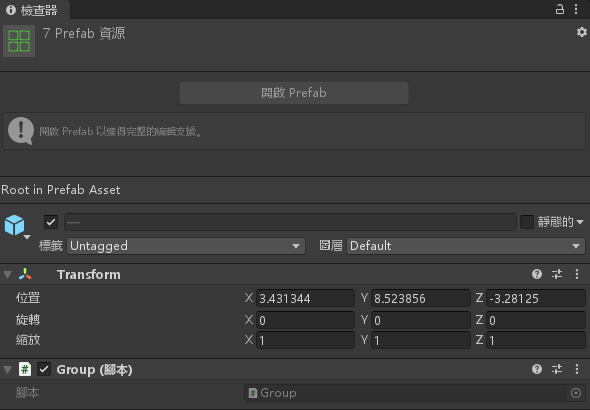
將七個預製物件選取起來
增加元件>腳本>Group
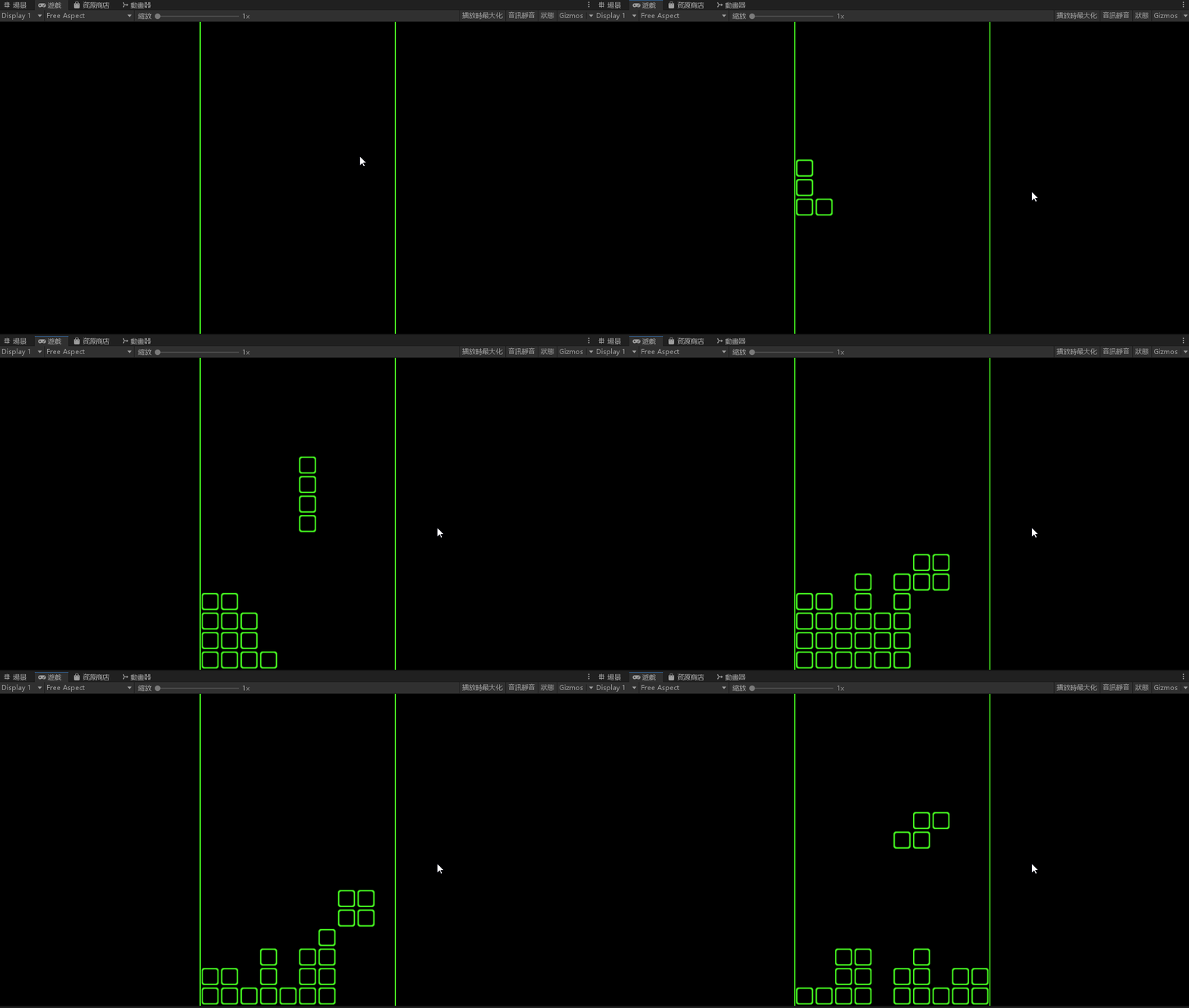
完成,看看結果吧! (上課資料)
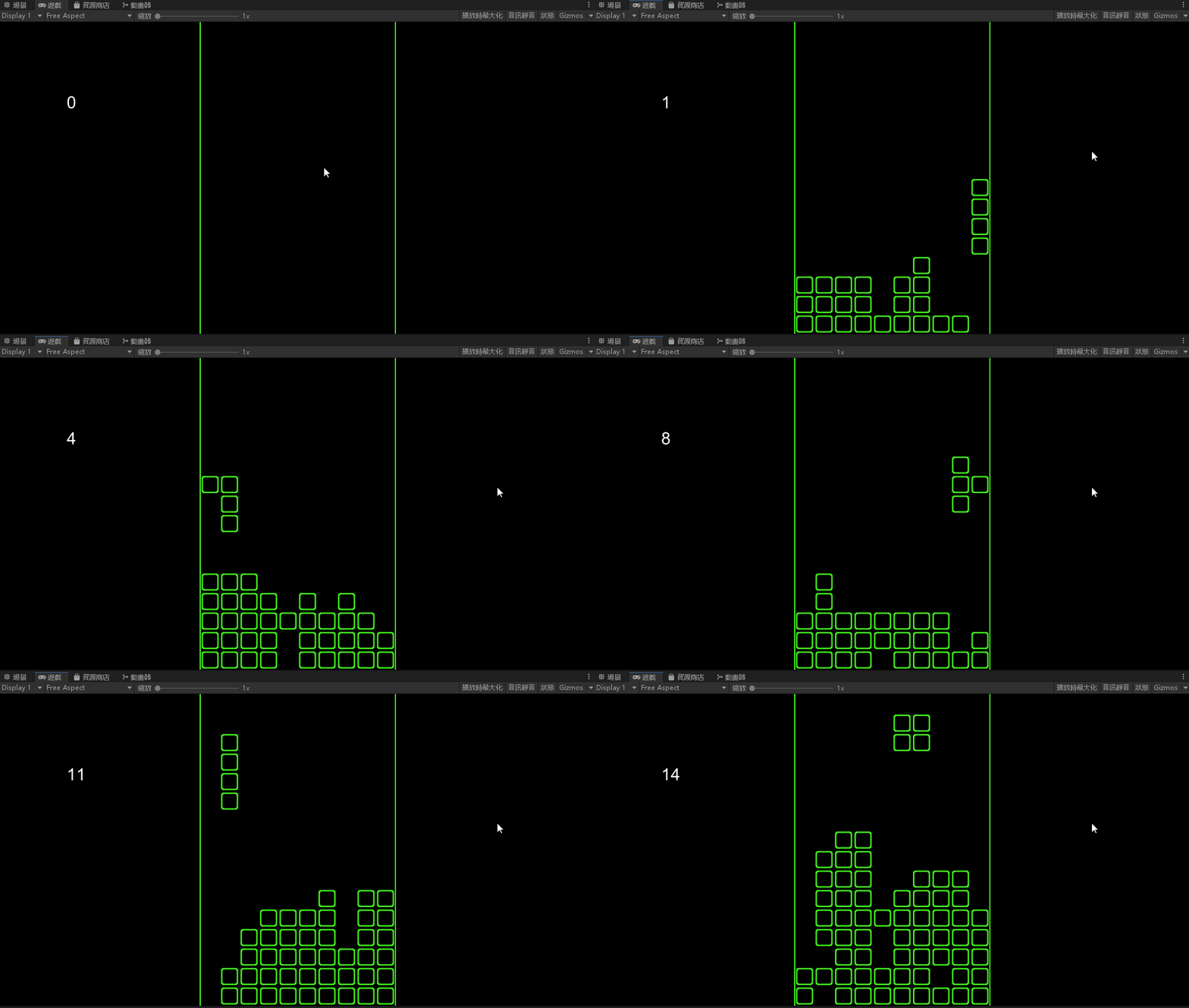
完成,看看結果吧! (作業)

-
車牌回來了
但是現在汽門漏氣,維修ing...
- 受保護的內容: NAS 版 Mathbot 管理網站與 Linebot 啟動方法 - 2024 年 11 月 15 日
- Realtime 啥鬼的 - 2021 年 6 月 15 日
- nodejs 數學遊戲 - 2021 年 6 月 8 日