
试做一个小范例
首先要先安装 makefile 的套件
sudo apt install make分别建立以下四个档案
#include "myprogram.h"

int compute(int grade){
	return 0.5 * grade;
}
#include "stdio.h"
#include "myprogram.h"
int foo(int grade){
printf("Grade is %d\n", compute(grade));
return 0;
}#include "stdio.h"
#include "myprogram.h"
int main(void){
int grade=60;
foo(grade);
return 0;
}int foo(int); int compute(int);
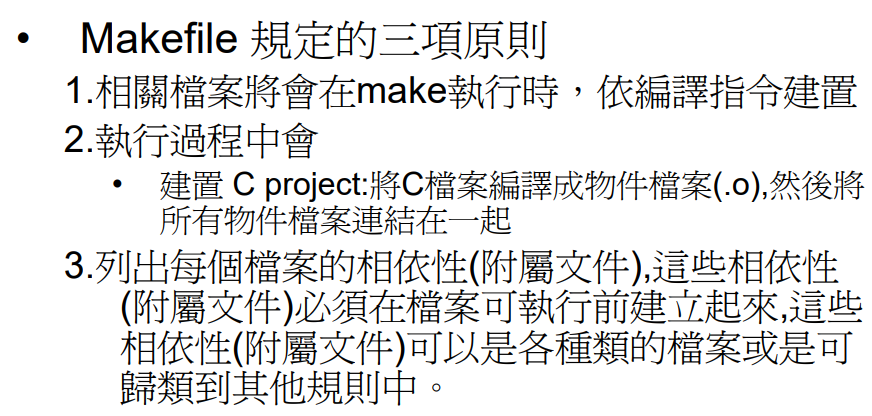
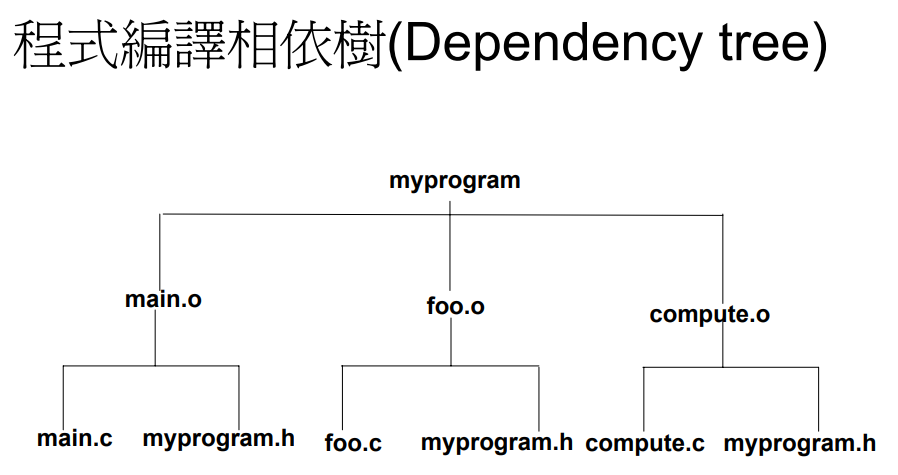
然后再新增一个 makefile 的档案(第一版),输入以下的程式码
all:myprogram
myprogram: main.o foo.o compute.o
	gcc -o myprogram main.o foo.o compute.o
main.o: main.c myprogram.h
	gcc -c main.c
foo.o: foo.c myprogram.h
	gcc -c foo.c
compute.o: compute.c myprogram.h
	gcc -c compute.c
使用手动的方式编译程式(建立 linker)
gcc -c main.c
gcc -c foo.c
gcc -c compute.c
gcc-o myprogram main.o foo.o compute.o
./myprogram
使用 makefile 自动编译程式
首先要删除掉旧的 .o 档案
rm main.o foo.o compute.o然后输入以下指令
make all
再来要做第二版的 makefile,修改刚刚的 makefile 档案为以下
CC=gcc
CFLAGS=-O
COMPILE=$(CC) $(CFLAGS) -c

all:myprogram
myprogram: main.o foo.o compute.o
	$(CC) -o myprogram main.o foo.o compute.o
main.o: main.c myprogram.h
	$(COMPILE) main.c
foo.o: foo.c myprogram.h
	$(COMPILE) foo.c
compute.o: compute.c myprogram.h
	$(COMPILE) -c compute.c

clean:
	rm -f *.o
储存之后输入以下程式码清除 .o 档案
make clean然后再输入以下程式码编译档案
make all
./myprogram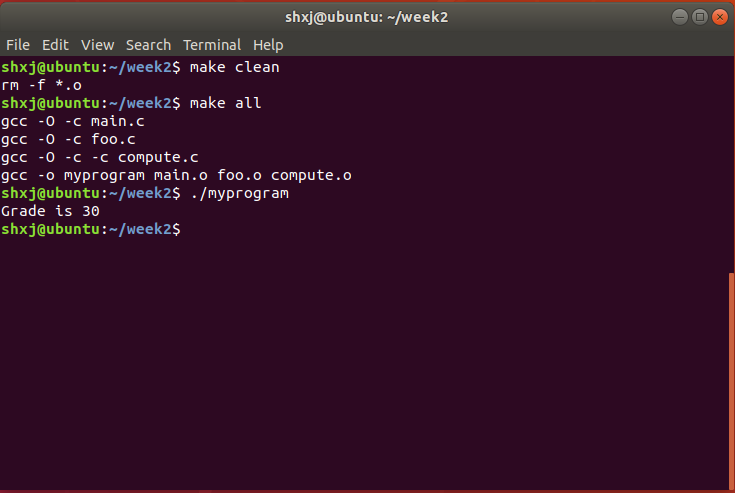
GDB 除错
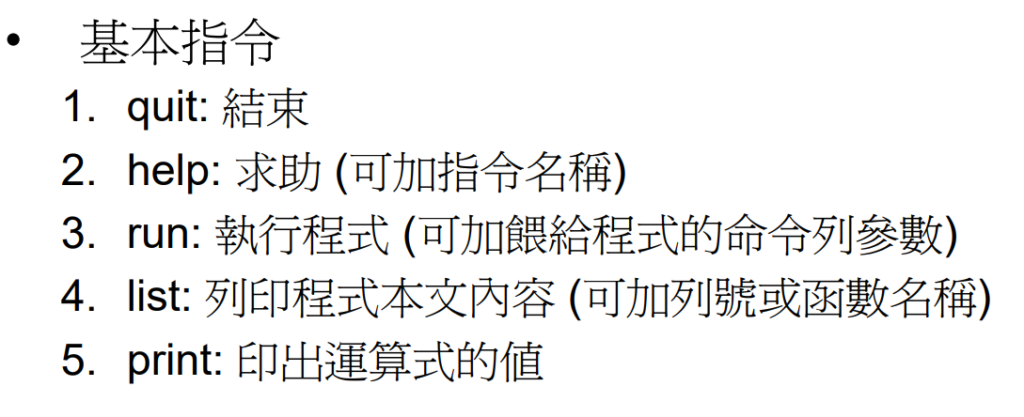
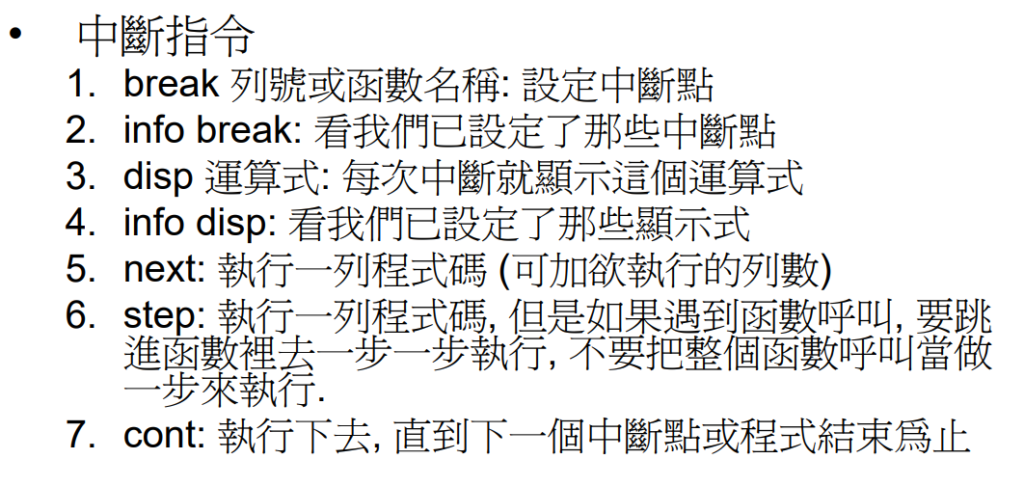
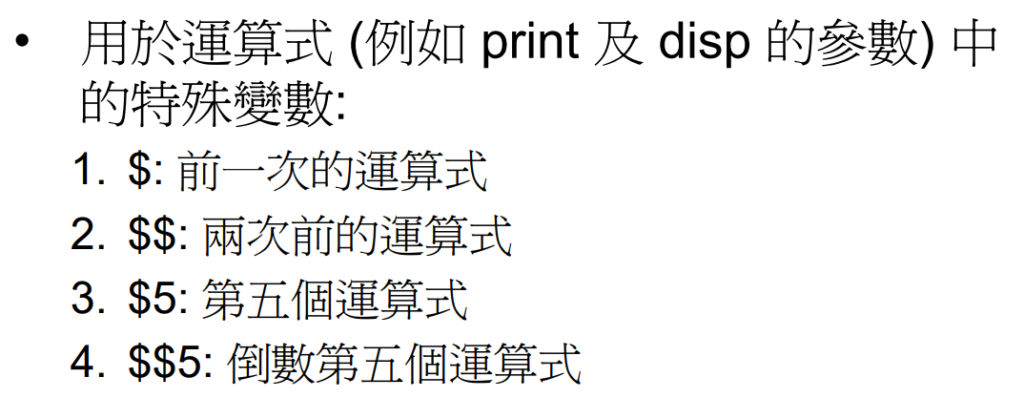
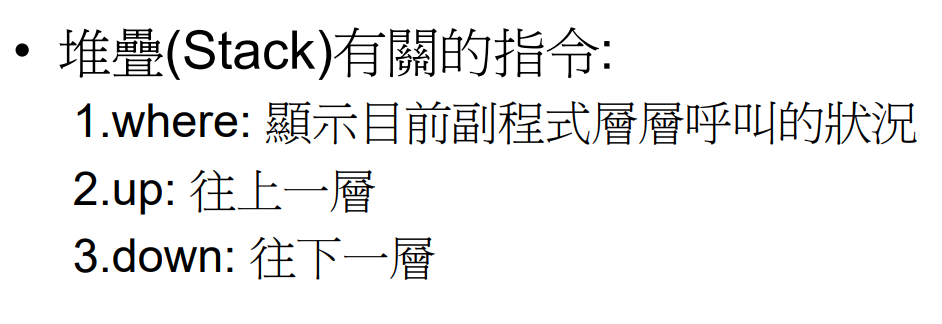
首先建立一个档案 eq.c
#include <stdio.h>

int main()
{
  	int a, b, c;
  	a=5;
  	b=10;
  	b+=a;
  	c=b+a;
  	return 0;
}
输入以下指令编译可供除错的执行档案
gcc -g eq.c -o eq再来输入以下指令进入除错模式
gdb eq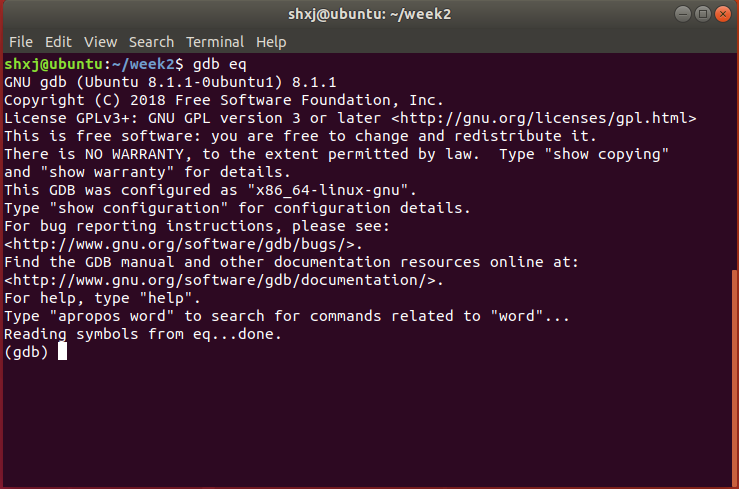
再来输入以下指令查看程式码
l
或是
list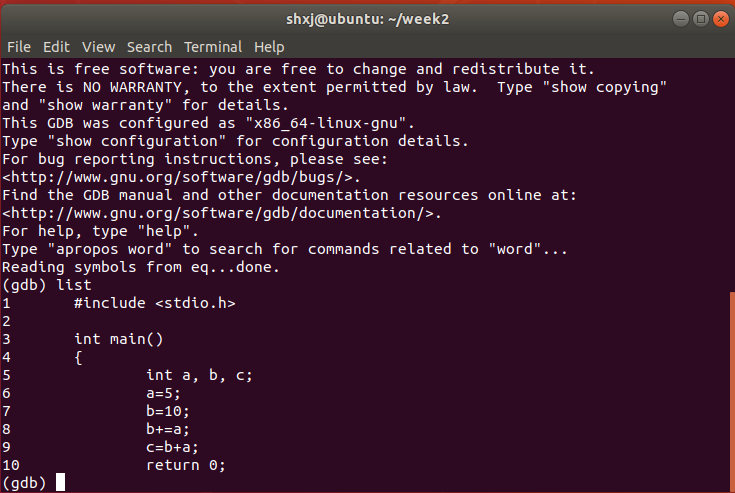
以下是 GDB 的中断点用法
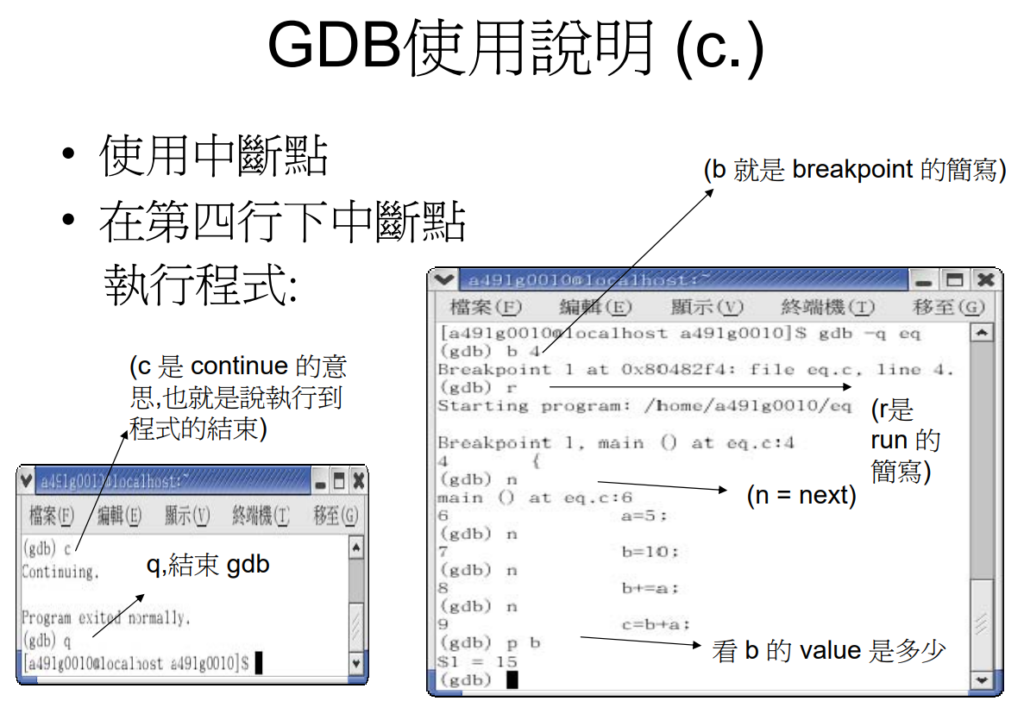
GDB 练习
stust@ubuntu:~/test$ gdb myprogram
GNU gdb (Ubuntu/Linaro 7.4-2012.04-0ubuntu2.1) 7.4-2012.04
Copyright (C) 2012 Free Software Foundation, Inc.
License GPLv3+: GNU GPL version 3 or later <http://gnu.org/licenses/gpl.html>
This is free software: you are free to change and redistribute it.
There is NO WARRANTY, to the extent permitted by law. Type “show copying”
and “show warranty” for details.
This GDB was configured as “i686-linux-gnu”.
For bug reporting instructions, please see:
<http://bugs.launchpad.net/gdb-linaro/>…
Reading symbols from /home/stust/test/myprogram…done.
(gdb) l
1 #include <stdio.h>
2 #include “myprogram.h”
3
4
5 int main(void) {
6 int grade=60;
7 foo(grade);
8 return 0;
9 }
(gdb) b foo
Breakpoint 1 at 0x804840e: file foo.c, line 5.
(gdb) run
Starting program: /home/stust/test/myprogram Breakpoint 1, foo (grade=60) at foo.c:5
5 printf(“Grade is %d\n”, compute(grade));
(gdb) l
1 #include <stdio.h>
2 #include “myprogram.h”
3
4 int foo(int grade) {
5 printf(“Grade is %d\n”, compute(grade));
6 return 0;
7 }
(gdb) b compute
Breakpoint 2 at 0x804843a: file compute.c, line 4.
(gdb) c
Continuing.Breakpoint 2, compute (grade=60) at compute.c:4
4 grade = grade +10;
(gdb) list
1 #include “myprogram.h”
2
3 int compute(int grade) {
4 grade = grade +10;
5 return 1.5 * grade;
6 }
(gdb) p grade
$1 = 60
(gdb) disp grade
1: grade = 60
(gdb) n
5 return 1.5 * grade;
1: grade = 70
(gdb) n
6 }
1: grade = 70
(gdb) c
Continuing.
Grade is 105
[Inferior 1 (process 3461) exited normally]
(gdb)

-
车牌回来了
但是现在汽门漏气,维修ing...
- 受保护的内容: NAS 版 Mathbot 管理网站与 Linebot 启动方法 - 2024 年 11 月 15 日
- Realtime 啥鬼的 - 2021 年 6 月 15 日
- nodejs 数学游戏 - 2021 年 6 月 8 日