
作业需求
素材下载




STATO!
制作背景画面
新建一个 2D 专案
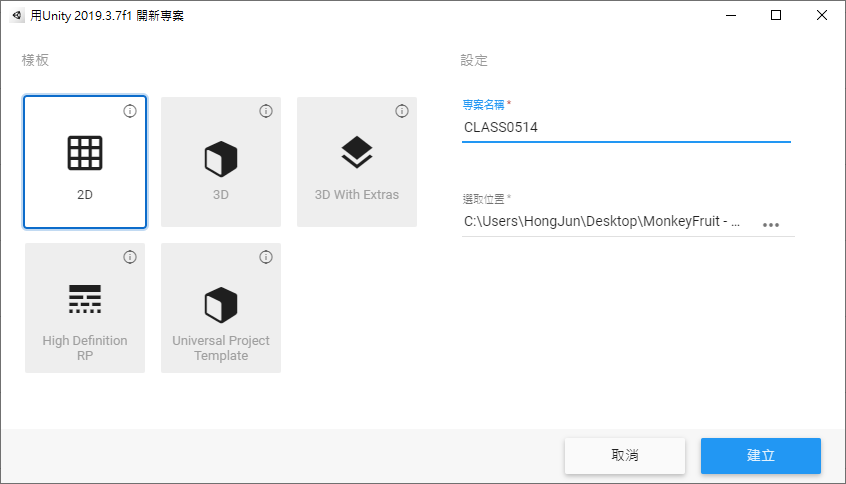
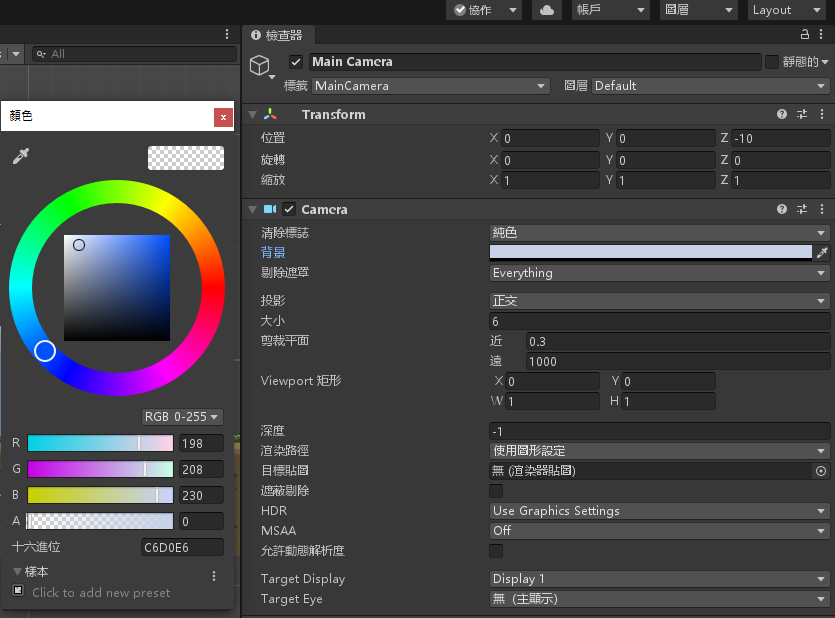
将 Main Camera 背景颜色变更为浅蓝色(R = 198,G = 208,B = 230)并将大小变更为 6
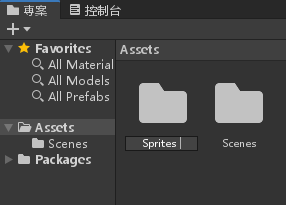
在 Assets 资料夹底下新增 Sprites 资料夹
将开头下载的四张背景放进 Sprites 资料夹里面
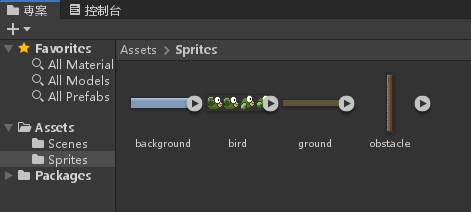
按著 Ctrl 将四张图片选起来
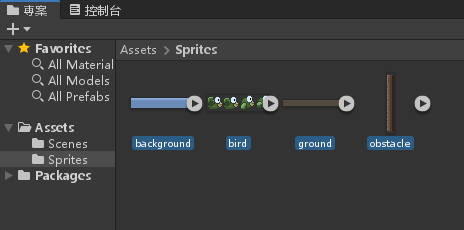
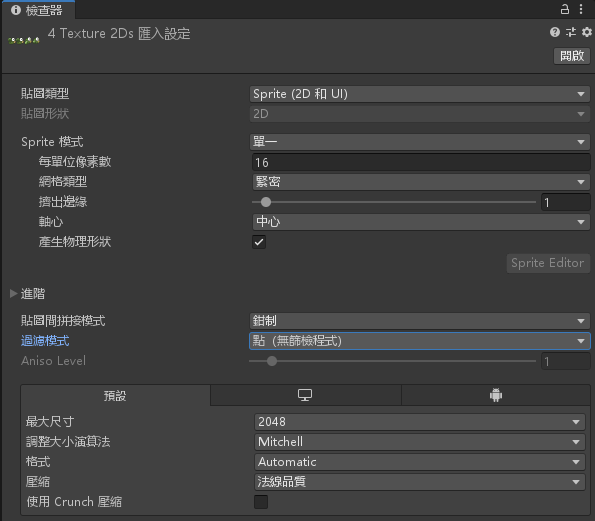
更改四张图片的属性;每单位像素数改为16;过滤模式改为 点(无筛检程式)
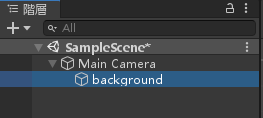
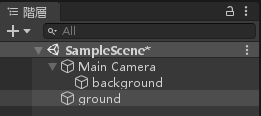
将 background.png 放到阶层视窗的 MainCamera 底下(注意,是放到底下)
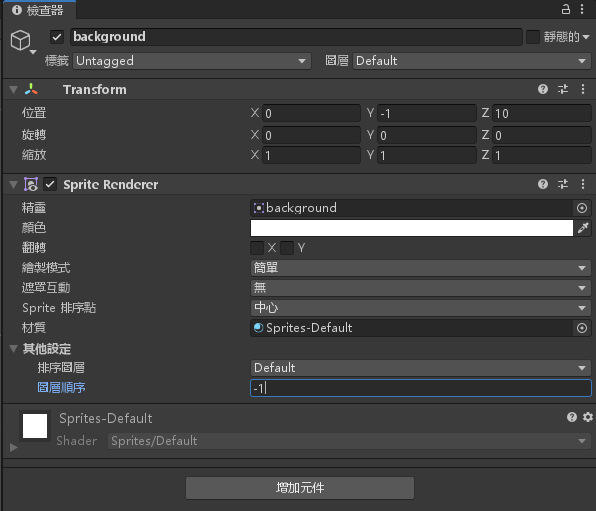
设定 background 物件的属性;位置 Y = -1;图层顺序 -1
将 ground.png 图片拉到阶层视窗,注意层级要与 MainCamera 相同
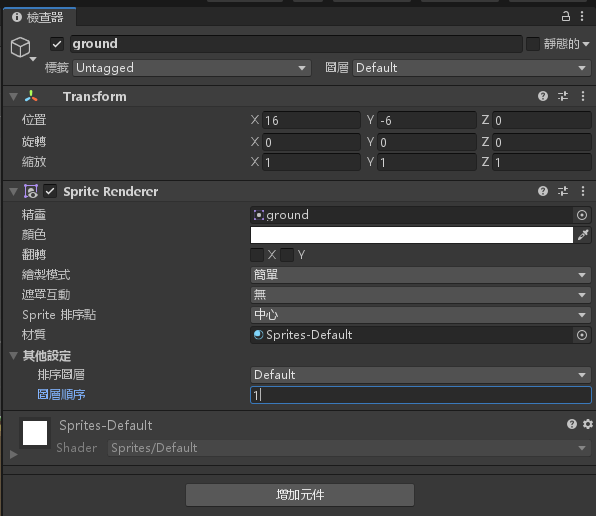
设定 ground 物件的属性;位置 X = 16;Y = -6;图层顺序 1
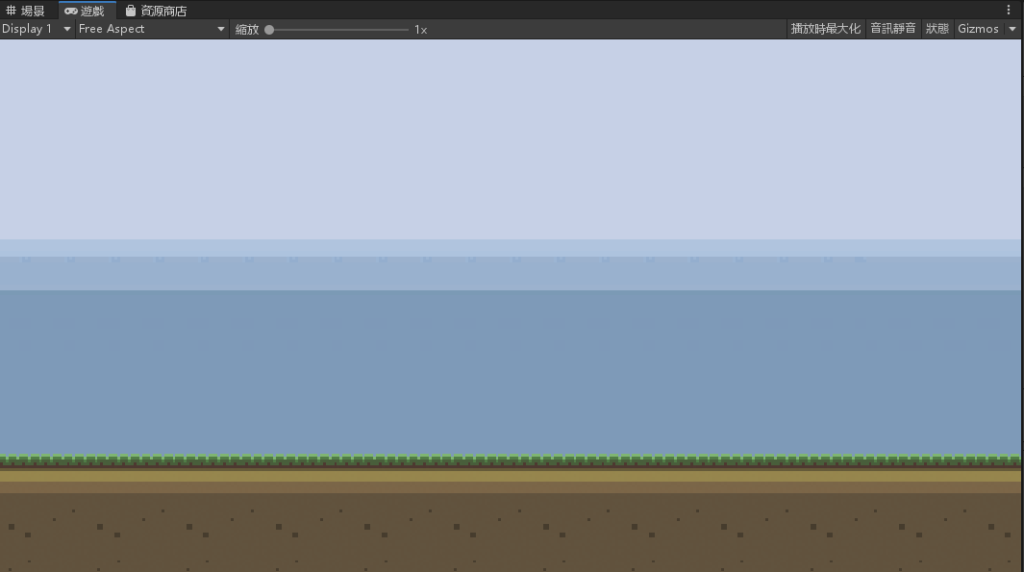
背景画面完成
加入碰撞侦测
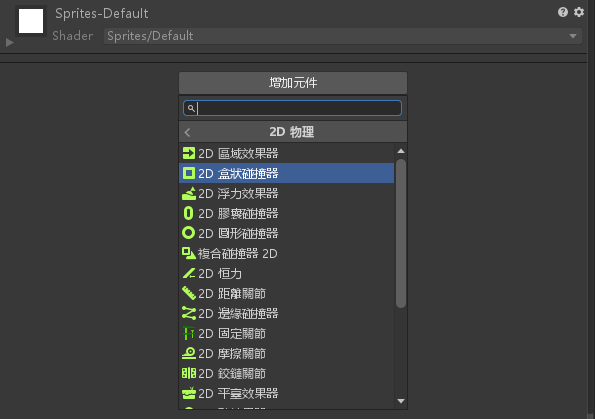
对 ground 物件新增元件>2D 物理>2D盒状碰撞器
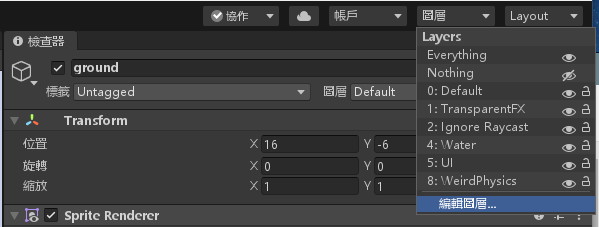
在画面右上角按下图层>编辑图层
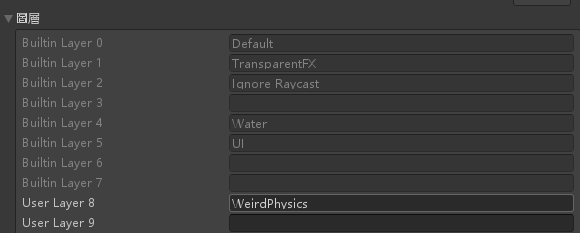
在 User Layer 新增一个图层:WeirdPhysics
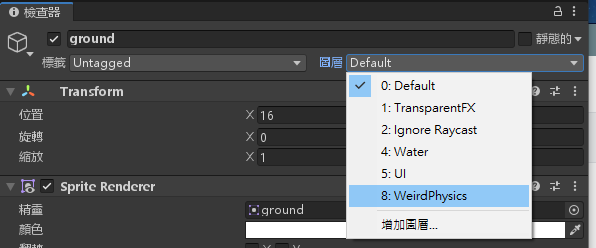
将 ground 物件的图层设定为WeirdPhysics
依序按下工具列的编辑>专案设定,选到 2D 物理并拉到最下面,将最底下那个勾选框勾勾拿掉
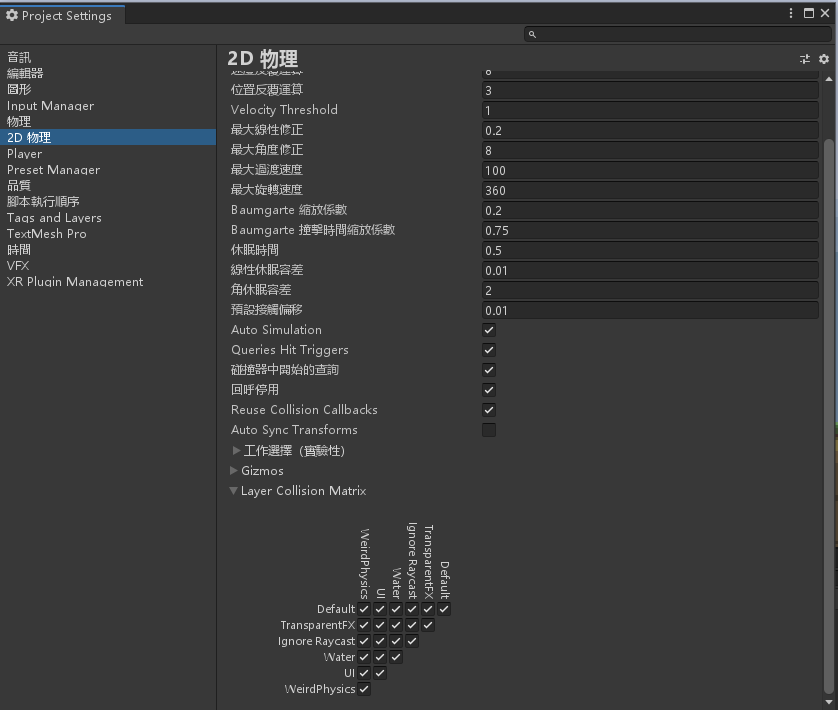
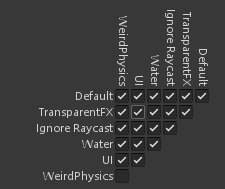
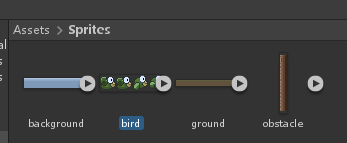
点选 Sprites 里面的 bird 图片
修改属性 Sprite 模式为多个
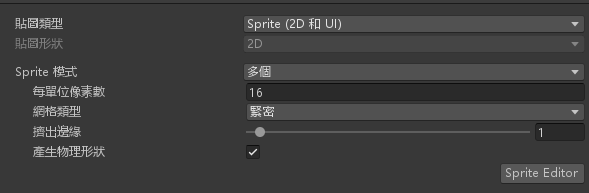
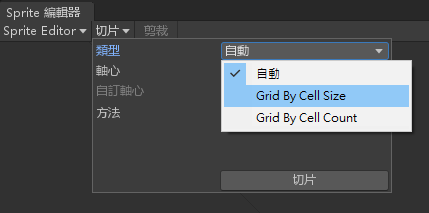
点选 Sprite Editor,点选切片;选择 Grid By Cell Size
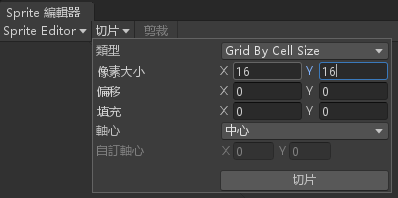
更改像素大小为 16×16,并按下切片
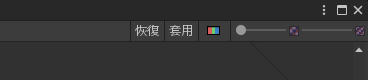
按下右上角的套用,并关闭分割视窗
按下 图片上的箭头,旁边会跑出四张
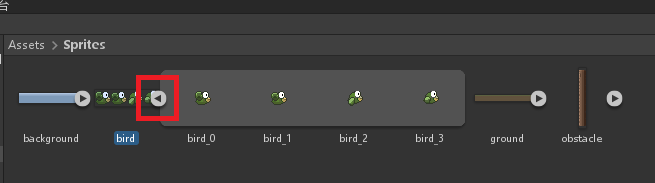
将四张分割图片选起来
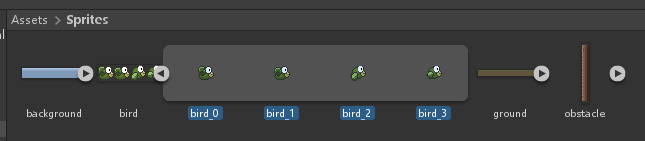
拉到阶层视窗里面,使用 fly.anim 名称储存在 Sprites 资料夹
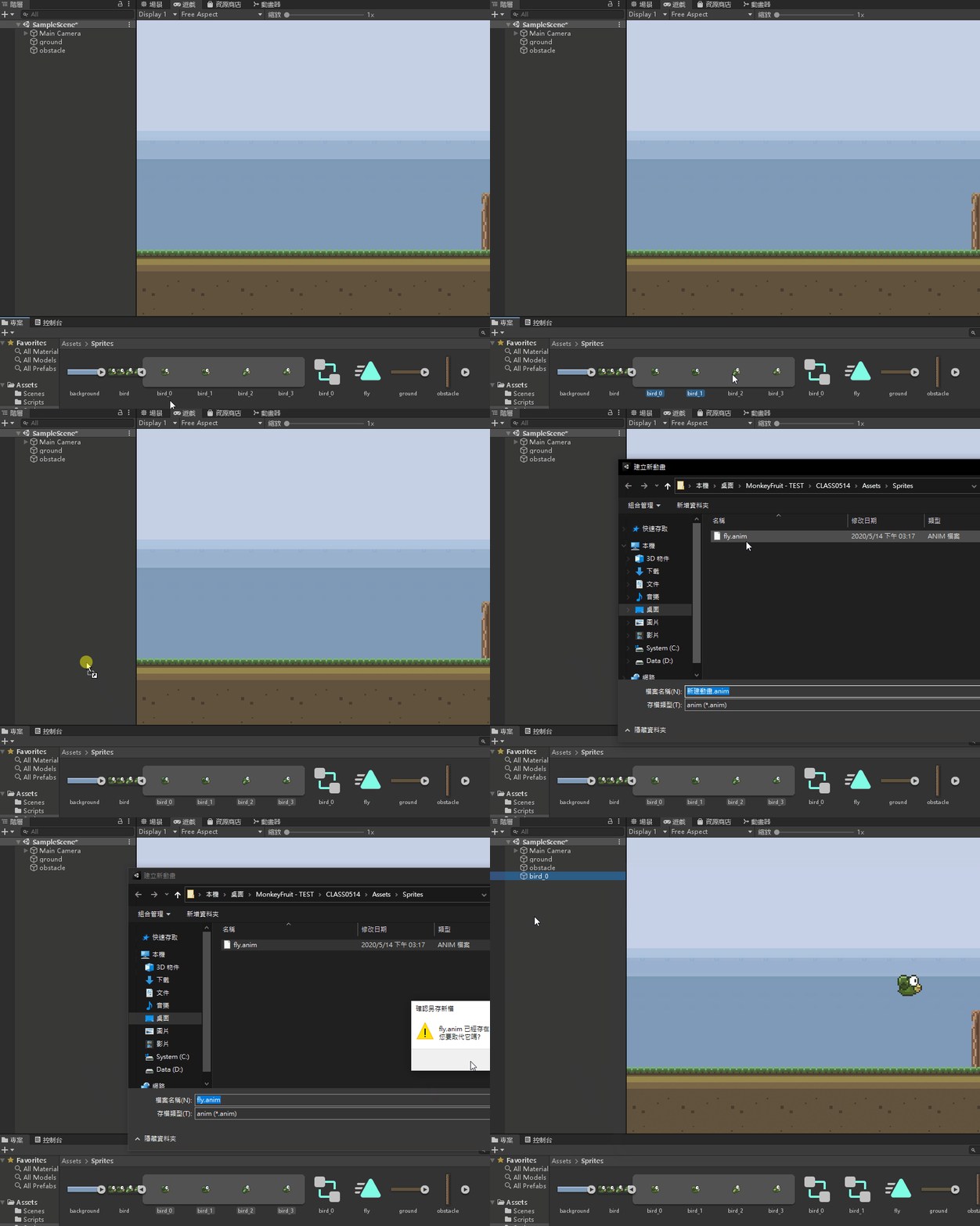
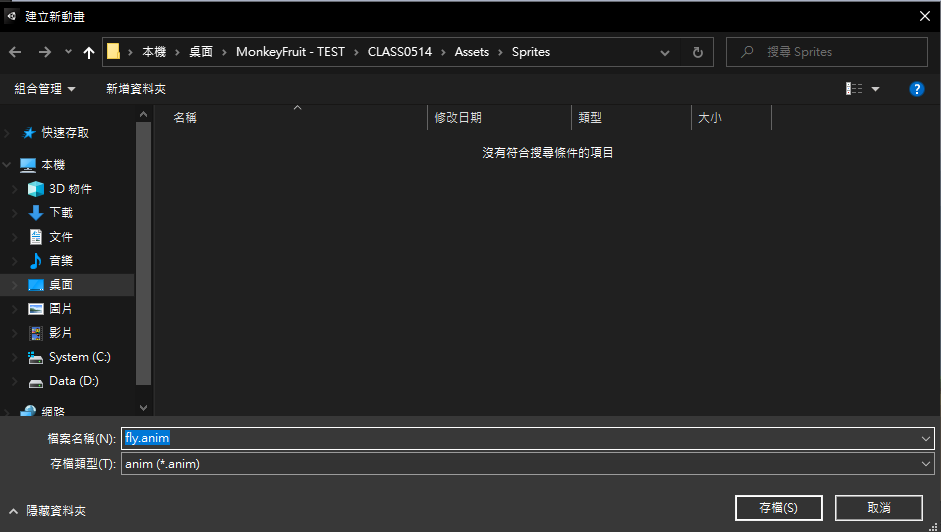
双击 bird_0 开启设定视窗
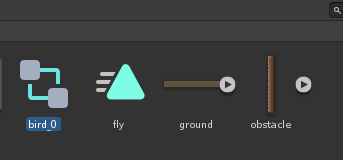
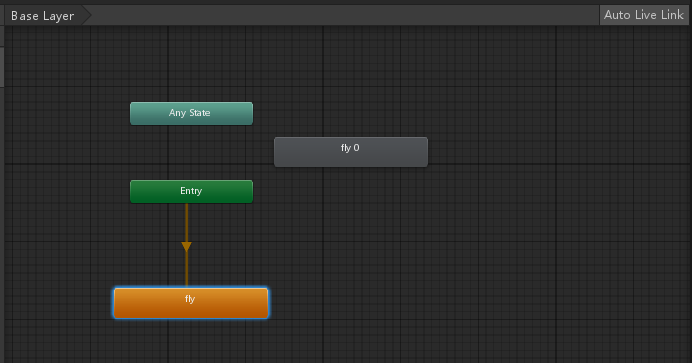
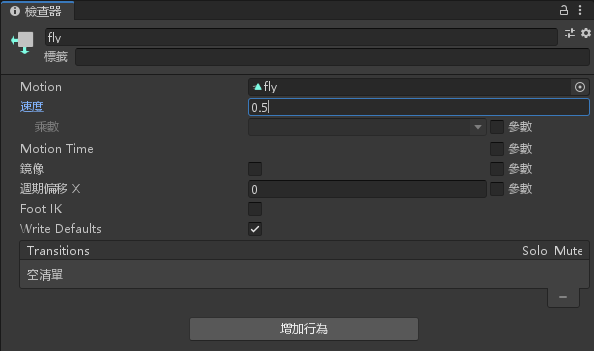
点一下橘色fly按钮,修改速度为0.5
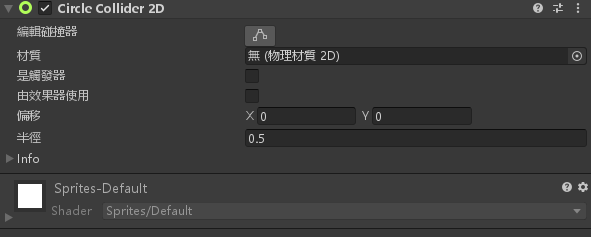
点选 bird_0 物件,新增元件>2D物理>2D 圆形碰撞器
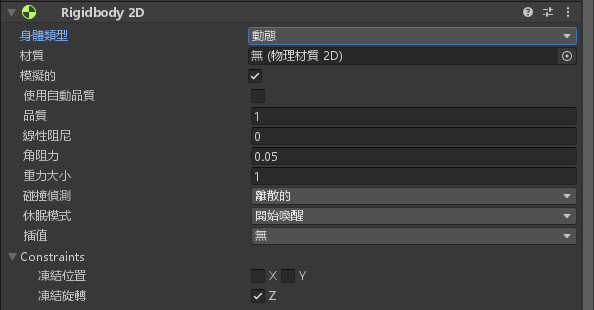
帮 bird_0 物件加上刚体特性,新增元件>2D物理>Rigidbody 2D
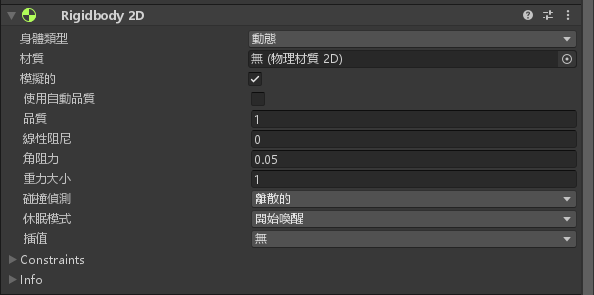
更改 Rigidbody 2D 的 Constraints ,冻结旋转 Z 打勾
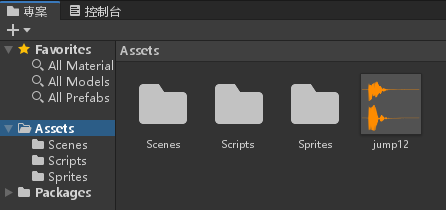
帮这只鸟加个音效,下载下面的音效丢进专案里面
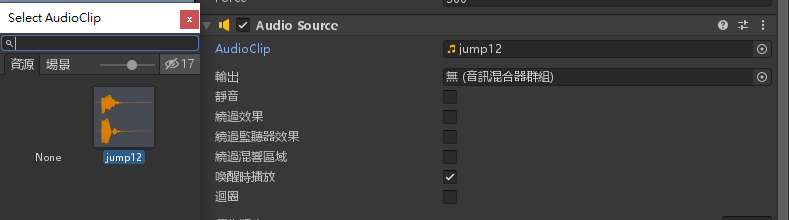
帮 bird_0 物件加入元件>音讯>音讯源,AudioClip选择刚刚放进去的 jump12
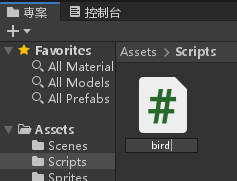
建立 Scripts 资料夹,新建一个脚本名为 bird.cs ,并加入以下程式码
using System.Collections;
using System.Collections.Generic;
using UnityEngine;

public class bird : MonoBehaviour
{
    // Start is called before the first frame update
    public float speed = 2;
    public float force = 300;
    void Start()
    {
        GetComponent<Rigidbody2D>().velocity = Vector2.right * speed;
    }

    // Update is called once per frame
    void Update()
    {
        if (Input.GetKeyDown(KeyCode.Space))
        {
            GetComponent<Rigidbody2D>().AddForce(Vector2.up * force);
            GetComponent<AudioSource>().Play();
        }
    }

    void OnCollisionEnter2D(Collision2D coll)
    {
        Application.LoadLevel(Application.loadedLevel);
    }
}
将脚本拉到 bird_0物件底下
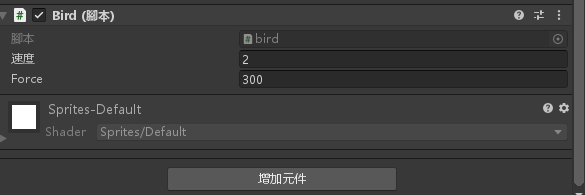
新增一个脚本名为 CameraFollow,编辑并加入以下程式码
using System.Collections;
using System.Collections.Generic;
using UnityEngine;

public class CameraFollow : MonoBehaviour
{
    // Start is called before the first frame update
    private Transform target;
    void Start()
    {
        target = GameObject.Find("bird_0").GetComponent<Transform>().transform;
    }

    void LateUpdate()
    {
        transform.position = new Vector3(target.position.x, transform.position.y, transform.position.z);
    }
    // Update is called once per frame
    void Update()
    {

    }
}
将这个脚本拉进 MainCamera 底下
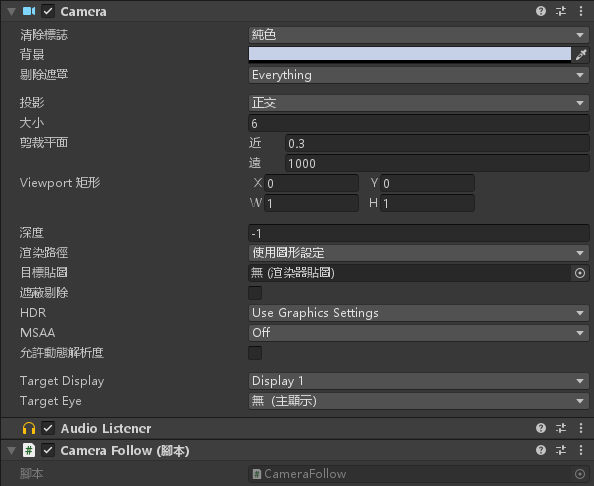
将 obstacle 图片拉到阶层视窗
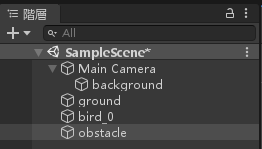
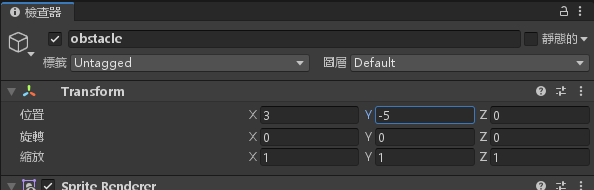
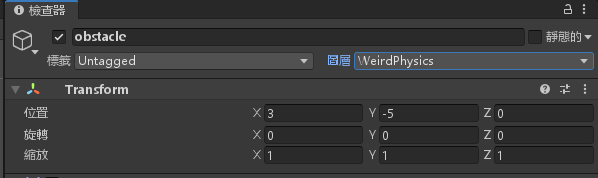
设定 obstacle 物件,位置X = 3,Y = -5
帮 obstacle 物件新增元件>2D物理>2D盒状碰撞器
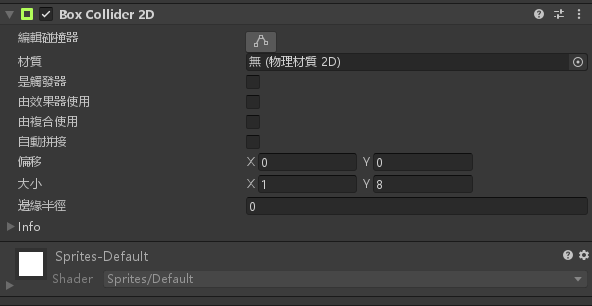
设定 obstacle 物件的图层为 WeirdPhysis
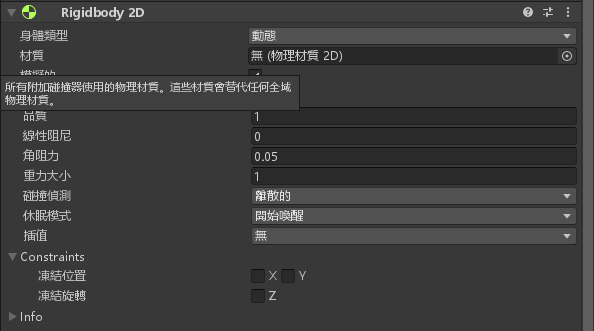
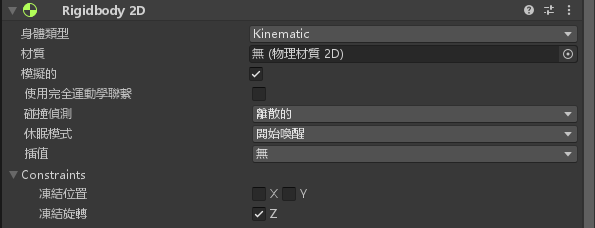
帮 obstacle 物件新增元件>2D物理>Rigidbody 2D
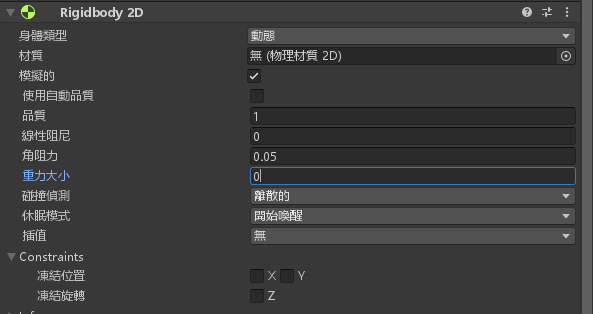
将重力大小设定为 0
将 Constraints 的冻结选转Z打勾
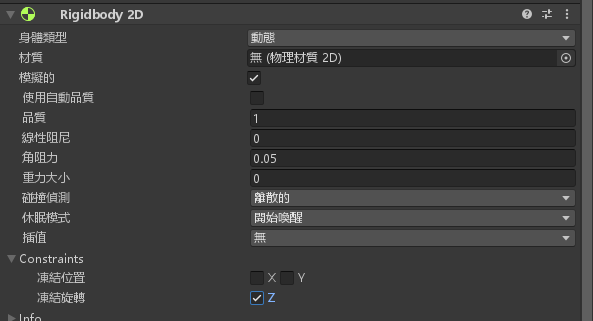
将身体类型改为 Kinematic
新增一个脚本名为 Obstacle,编辑脚本并加入以下程式码
using System.Collections;
using System.Collections.Generic;
using UnityEngine;

public class Obstacle : MonoBehaviour
{
    // Start is called before the first frame update
    public float speed = 0;
    public float switchtime = 2;
    void Start()
    {
        GetComponent<Rigidbody2D>().velocity = Vector2.up * speed;
        InvokeRepeating("Switch", 0, switchtime);
    }

    void Switch()
    {
        GetComponent<Rigidbody2D>().velocity *= -1;
    }

    // Update is called once per frame
    void Update()
    {

    }
}
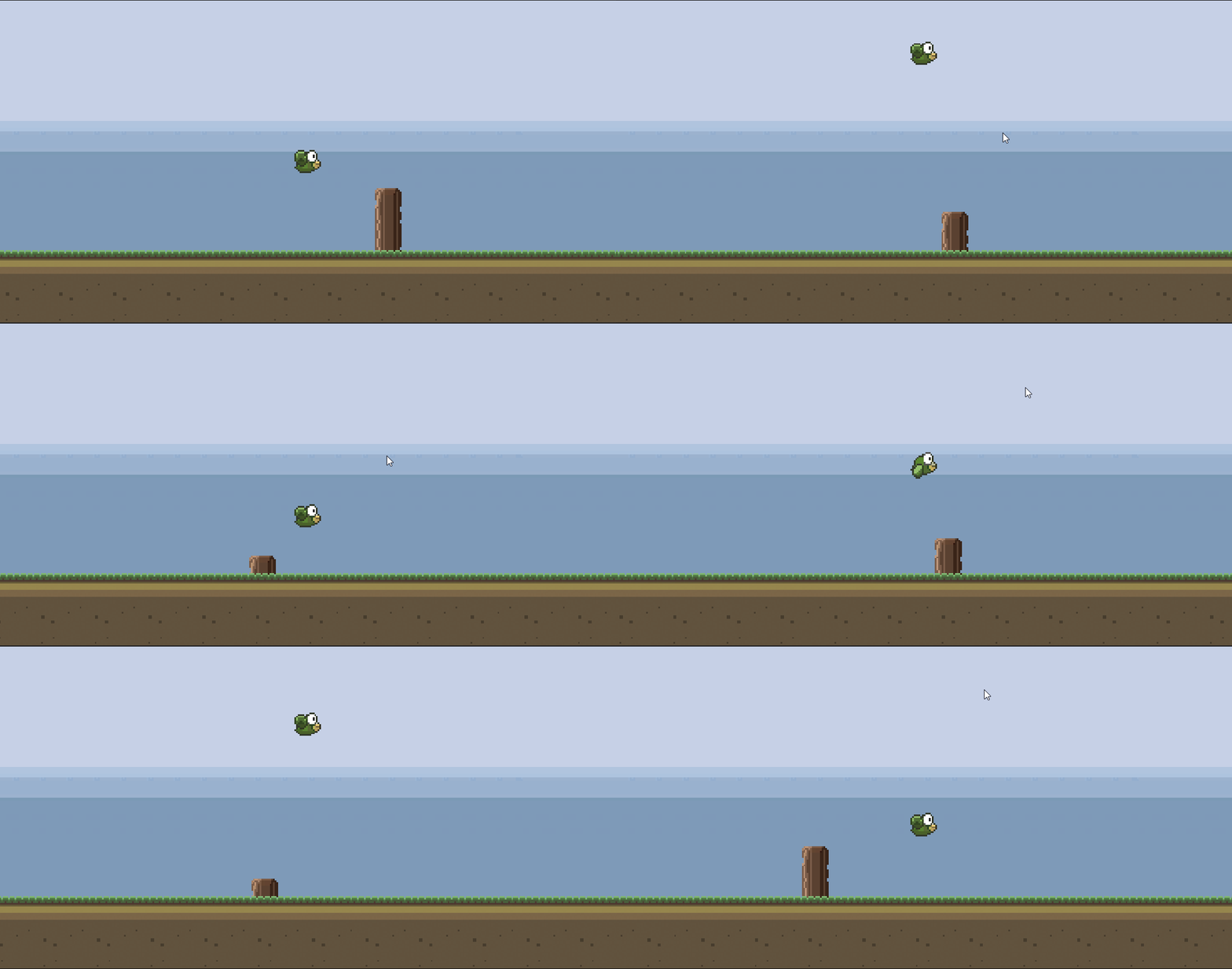
将脚本拉进 obstacle 物件底下,将速度设定为 1,游戏即完成

完成

-
车牌回来了
但是现在汽门漏气,维修ing...
- 受保护的内容: NAS 版 Mathbot 管理网站与 Linebot 启动方法 - 2024 年 11 月 15 日
- Realtime 啥鬼的 - 2021 年 6 月 15 日
- nodejs 数学游戏 - 2021 年 6 月 8 日