

前置作业
按照之前的方式,新增一个虚拟环境,资料夹选择 week3
cd C:\django_projects
mkdir week3
cd week3
python -m venv env
进入虚拟环境
.\env\Scripts\activate.bat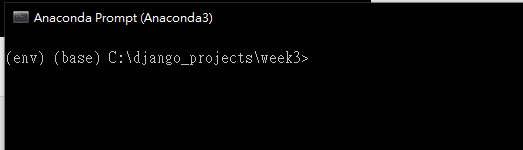
安装 django 套件
pip install django
下载这里提供的 week2 半成品,并且解压缩到 wee3 目录底下
https://wp.shxj.pw/share/webproject/mysite.zip
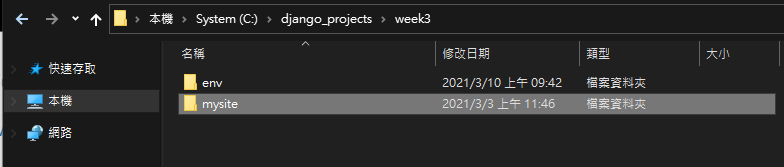
启动 django 伺服器,测试功能是否正常
cd mysite
python manage.py runserver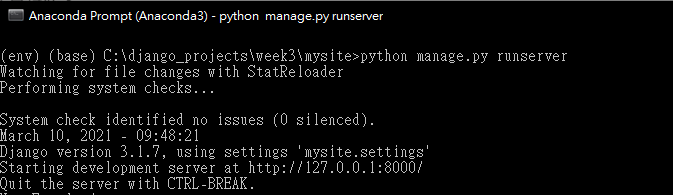
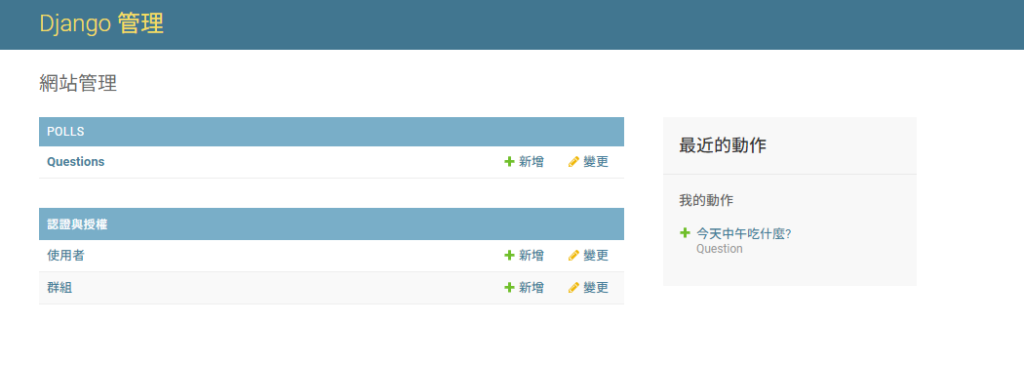
进入以下网址登入,帐密为
- 帐号: admin
- 密码: 123456
使用 Ctrl + C 关闭启动的伺服器
建立 views 视图(页面)
使用教材: 官方 Document
在这一个范例中,将会建立四个视图(页面),官方说明如下

首先,开启 VSCODE
code .打开 polls/views.py 档案,加入以下程式码
def detail(request, question_id):
    return HttpResponse("You're looking at question %s." % question_id)

def results(request, question_id):
    response = "You're looking at the results of question %s."
    return HttpResponse(response % question_id)

def vote(request, question_id):
    return HttpResponse("You're voting on question %s." % question_id)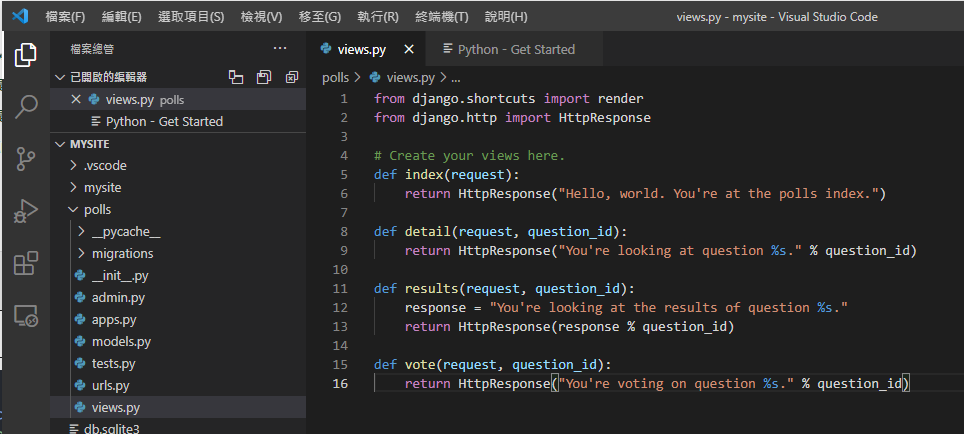
开启 polls/urls.py,修改成以下程式码
from django.urls import path

from . import views

urlpatterns = [
    # ex: /polls/
    path('', views.index, name='index'),
    # ex: /polls/5/
    path('<int:question_id>/', views.detail, name='detail'),
    # ex: /polls/5/results/
    path('<int:question_id>/results/', views.results, name='results'),
    # ex: /polls/5/vote/
    path('<int:question_id>/vote/', views.vote, name='vote'),
]
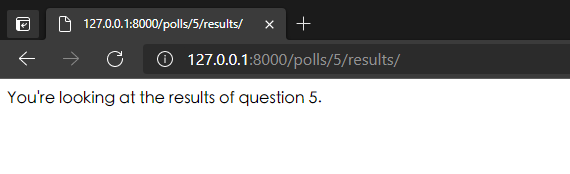
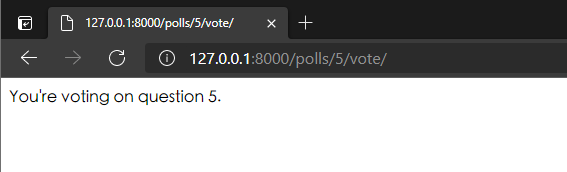
开启以下的网址,就能看到对应的结果
http://127.0.0.1:8000/polls/5/

http://127.0.0.1:8000/polls/5/results/
http://127.0.0.1:8000/polls/5/vote/
开启档案 polls/views.py,修改成以下程式码
from django.shortcuts import render
from django.http import HttpResponse
from .models import Question

# Create your views here.
def index(request):
    latest_question_list = Question.objects.order_by('-pub_date')[:5]
    output = ', '.join([q.question_text for q in latest_question_list])
    return HttpResponse(output)

def detail(request, question_id):
    return HttpResponse("You're looking at question %s." % question_id)

def results(request, question_id):
    response = "You're looking at the results of question %s."
    return HttpResponse(response % question_id)

def vote(request, question_id):
    return HttpResponse("You're voting on question %s." % question_id)
新增与套用样板档案
在 polls 底下新增一个资料夹 templates
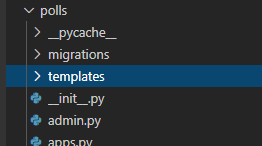
再在 templates 底下新增一个资料夹 polls

在这个 polls 资料夹里面新增一个档案 index.html
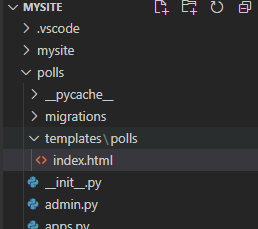
贴上以下的程式码
{% if latest_question_list %}
    <ul>
    {% for question in latest_question_list %}
        <li><a href="/polls/{{ question.id }}/">{{ question.question_text }}</a></li>
    {% endfor %}
    </ul>
{% else %}
    <p>No polls are available.</p>
{% endif %}
开启档案 polls/views.py 档案,修改成以下的程式码
from django.shortcuts import render
from django.http import HttpResponse
from .models import Question
from django.template import loader

# Create your views here.
def index(request):
    latest_question_list = Question.objects.order_by('-pub_date')[:5]
    template = loader.get_template('polls/index.html')
    context = {
        'latest_question_list': latest_question_list,
    }
    return HttpResponse(template.render(context, request))

def detail(request, question_id):
    return HttpResponse("You're looking at question %s." % question_id)

def results(request, question_id):
    response = "You're looking at the results of question %s."
    return HttpResponse(response % question_id)

def vote(request, question_id):
    return HttpResponse("You're voting on question %s." % question_id)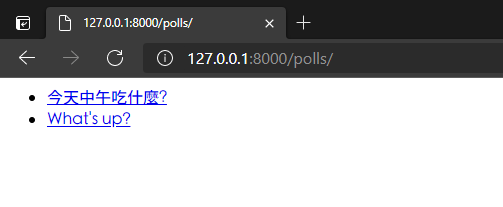
再来我们可以使用 django 提供的快捷方式 Render()
将程式码修改成以下
from django.shortcuts import render
from django.http import HttpResponse
from .models import Question
from django.template import loader

# Create your views here.
def index(request):
    latest_question_list = Question.objects.order_by('-pub_date')[:5]
    context = {'latest_question_list': latest_question_list}
    return render(request, 'polls/index.html', context)

def detail(request, question_id):
    return HttpResponse("You're looking at question %s." % question_id)

def results(request, question_id):
    response = "You're looking at the results of question %s."
    return HttpResponse(response % question_id)

def vote(request, question_id):
    return HttpResponse("You're voting on question %s." % question_id)
可以发现一样的呈现方式。
如果发生了 404 错误 (例外处理)
修改 polls/views.py 档案,修改成以下的程式码
from django.shortcuts import render
from django.http import HttpResponse
from .models import Question
from django.template import loader
from django.http import Http404

# Create your views here.
def index(request):
    latest_question_list = Question.objects.order_by('-pub_date')[:5]
    context = {'latest_question_list': latest_question_list}
    return render(request, 'polls/index.html', context)

def detail(request, question_id):
    try:
        question = Question.objects.get(pk=question_id)
    except Question.DoesNotExist:
        raise Http404("Question does not exist")
    return render(request, 'polls/detail.html', {'question': question})

def results(request, question_id):
    response = "You're looking at the results of question %s."
    return HttpResponse(response % question_id)

def vote(request, question_id):
    return HttpResponse("You're voting on question %s." % question_id)
在 polls/templates/polls 底下新增一个样板 detail.html
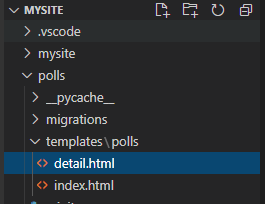
在其中加入以下程式码
{{ question }}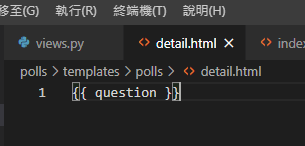
好了之后,我们进入一个不存在的问题网址
http://127.0.0.1:8000/polls/3/
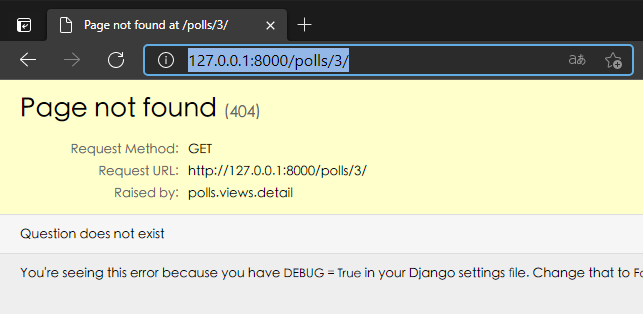
简化一下 404 的程式码,将 polls/views.py 修改成以下程式码
from django.shortcuts import get_object_or_404, render
from django.http import HttpResponse
from .models import Question
from django.template import loader
from django.http import Http404

# Create your views here.
def index(request):
    latest_question_list = Question.objects.order_by('-pub_date')[:5]
    context = {'latest_question_list': latest_question_list}
    return render(request, 'polls/index.html', context)

def detail(request, question_id):
    question = get_object_or_404(Question, pk=question_id)
    return render(request, 'polls/detail.html', {'question': question})

def results(request, question_id):
    response = "You're looking at the results of question %s."
    return HttpResponse(response % question_id)

def vote(request, question_id):
    return HttpResponse("You're voting on question %s." % question_id)
重新整理刚刚的页面,将会得到一样的结果。
使用模板系统 (列出问题选项)
修改 polls/templates/polls/detail.html 档案,修改成以下程式码
<h1>{{ question.question_text }}</h1>
<ul>
{% for choice in question.choice_set.all %}
    <li>{{ choice.choice_text }}</li>
{% endfor %}
</ul>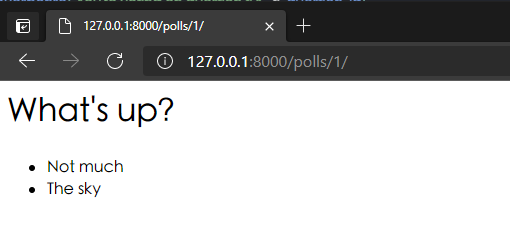
删除模板中的绝对路径
开启 polls/templates/polls/index.html 档案,修改成以下程式码
{% if latest_question_list %}
    <ul>
    {% for question in latest_question_list %}
        <li><a href="{% url 'detail' question.id %}">{{ question.question_text }}</a></li>
    {% endfor %}
    </ul>
{% else %}
    <p>No polls are available.</p>
{% endif %}
命名空间URL名称
修改 polls/urls.py 档案,修改成以下程式码
from django.urls import path

from . import views

app_name = 'polls'
urlpatterns = [
    path('', views.index, name='index'),
    path('<int:question_id>/', views.detail, name='detail'),
    path('<int:question_id>/results/', views.results, name='results'),
    path('<int:question_id>/vote/', views.vote, name='vote'),
]
并且将 polls/templates/polls/index.html 修改成以下程式码
{% if latest_question_list %}
    <ul>
    {% for question in latest_question_list %}
        <li><a href="{% url 'polls:detail' question.id %}">{{ question.question_text }}</a></li>
    {% endfor %}
    </ul>
{% else %}
    <p>No polls are available.</p>
{% endif %}
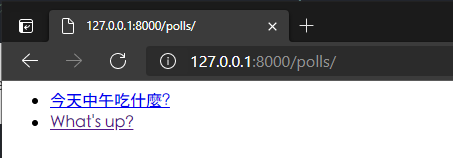
再次进入以下网址,确认页面正常就完成囉

-
车牌回来了
但是现在汽门漏气,维修ing...
- 受保护的内容: NAS 版 Mathbot 管理网站与 Linebot 启动方法 - 2024 年 11 月 15 日
- Realtime 啥鬼的 - 2021 年 6 月 15 日
- nodejs 数学游戏 - 2021 年 6 月 8 日