
前置準備
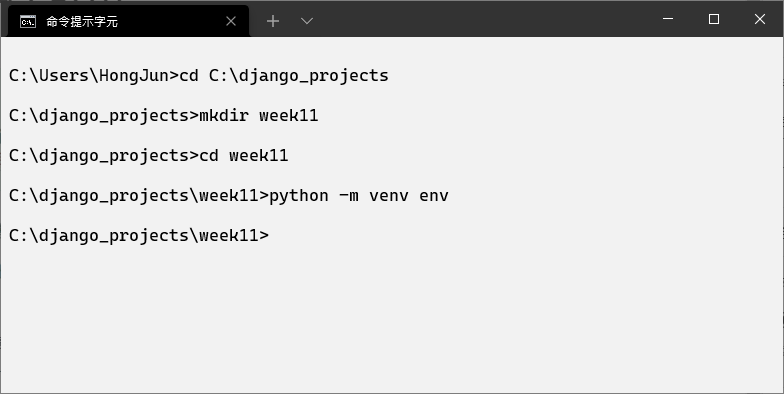
建立一個新的專案目錄 week11,並且啟動虛擬環境
cd C:\django_projects
mkdir week11
cd week11
python -m venv env
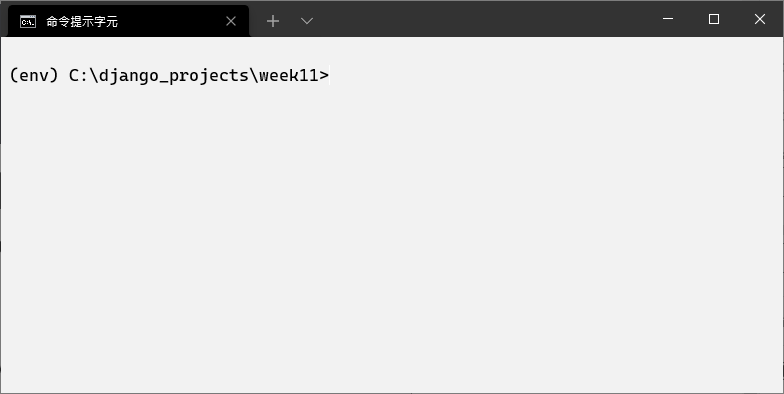
.\env\Scripts\activate.bat
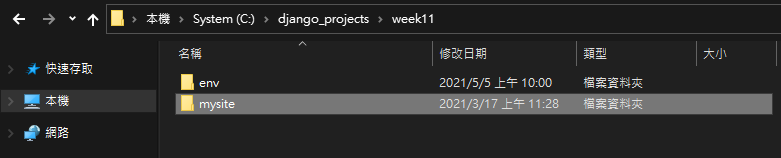
下載並將 week4 的成果放到 week11 目錄底下,點我下載
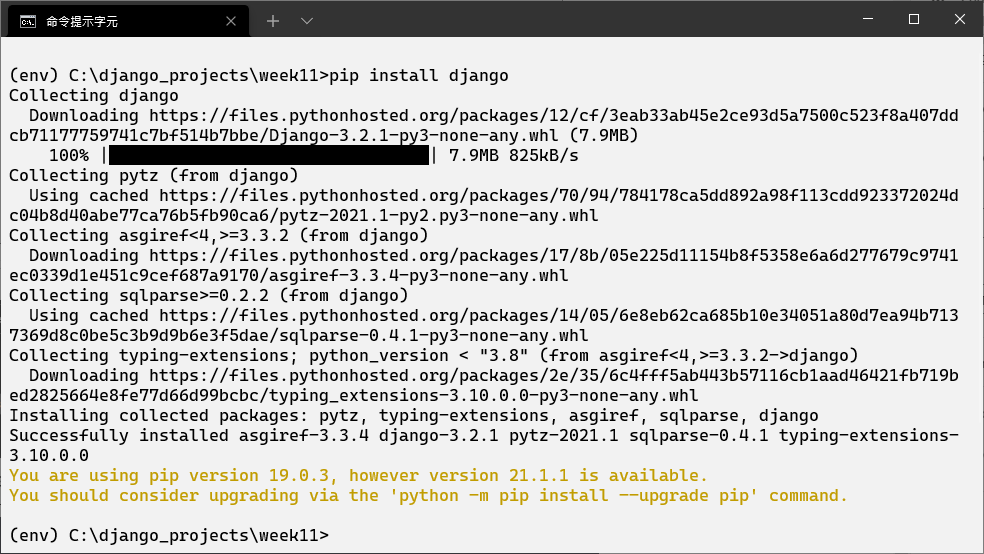
接著安裝 django
pip install django
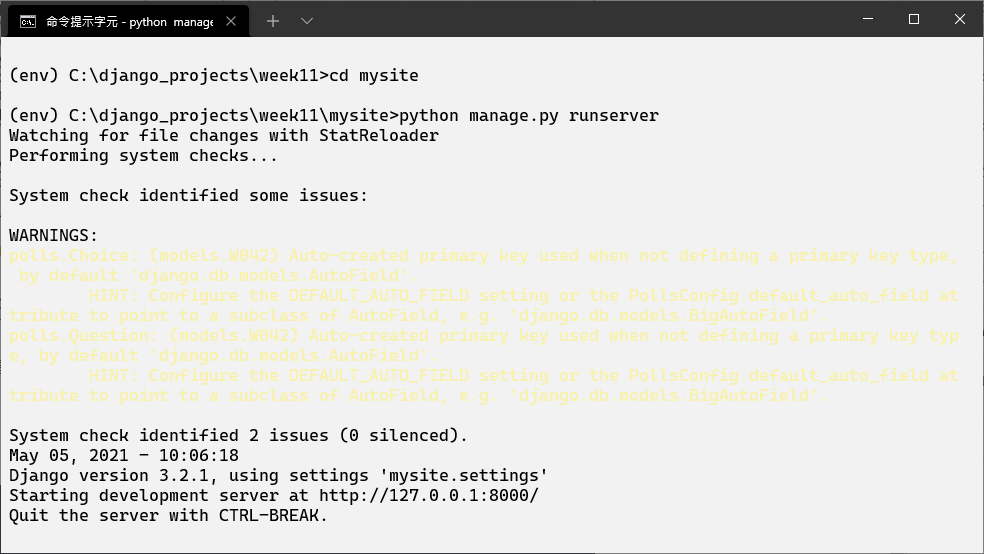
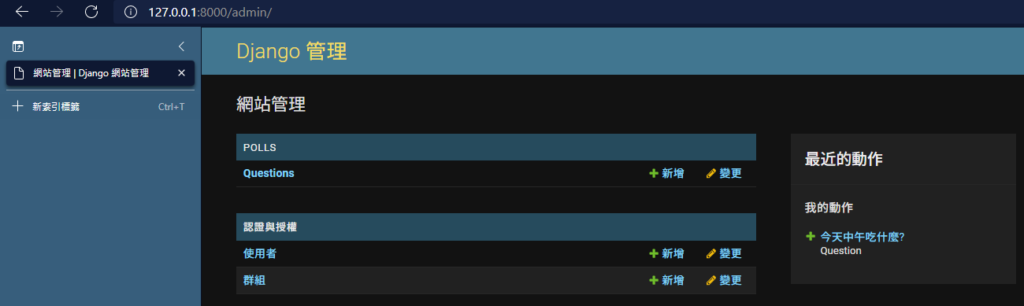
啟動 django 伺服器並且測試功能是否正常,帳密為
- 帳號: admin
- 密碼: 123456
cd mysite
python manage.py runserver
簡單表單 Hello World
開啟 VSCODE
code .
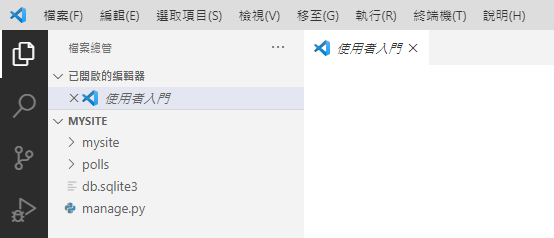
在 polls 底下建立一個檔案 forms.py,並且貼上以下的程式碼
from django import forms

class NameForm(forms.Form):
    your_name = forms.CharField(label='Your name', max_length=100)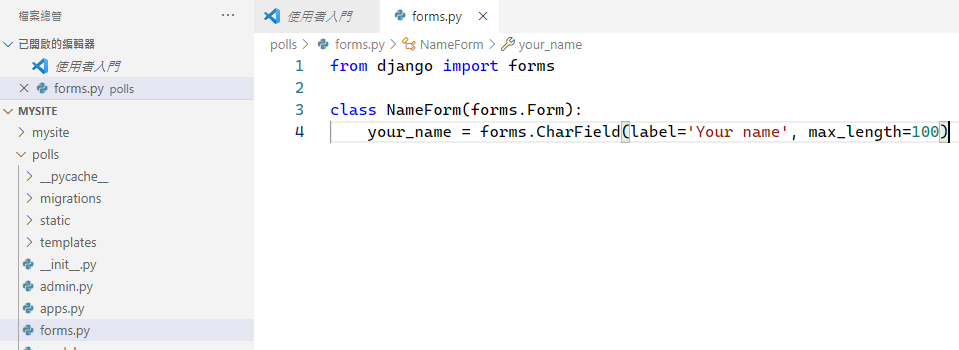
編輯 polls/views.py 檔案,覆蓋以下程式碼
from django.http import HttpResponse, HttpResponseRedirect
from django.shortcuts import get_object_or_404, render
from django.urls import reverse
from django.views import generic

from .models import Choice, Question
from .forms import NameForm

""" def index(request):
    latest_question_list = Question.objects.order_by('-pub_date')[:5]
    context = {'latest_question_list': latest_question_list,}
    return render(request, 'polls/index.html',context)


def detail(request, question_id):
    question = get_object_or_404(Question, pk=question_id)
    return render(request, 'polls/detail.html', {'question': question})


def results(request, question_id):
    question = get_object_or_404(Question, pk=question_id)
    return render(request, 'polls/results.html', {'question': question})
 """

def get_name(request):
    # if this is a POST request we need to process the form data
    if request.method == 'POST':
        # create a form instance and populate it with data from the request:
        form = NameForm(request.POST)
        # check whether it's valid:
        if form.is_valid():
            # process the data in form.cleaned_data as required
            # ...
            # redirect to a new URL:
            return HttpResponseRedirect('/polls/')

    # if a GET (or any other method) we'll create a blank form
    else:
        form = NameForm()

    return render(request, 'name.html', {'form': form})

class IndexView(generic.ListView):
    template_name = 'polls/index.html'
    context_object_name = 'latest_question_list'

    def get_queryset(self):
        """Return the last five published questions."""
        return Question.objects.order_by('-pub_date')[:5]


class DetailView(generic.DetailView):
    model = Question
    template_name = 'polls/detail.html'


class ResultsView(generic.DetailView):
    model = Question
    template_name = 'polls/results.html'

def vote(request, question_id):
    question = get_object_or_404(Question, pk=question_id)
    try:
        selected_choice = question.choice_set.get(pk=request.POST['choice'])
    except (KeyError, Choice.DoesNotExist):
        # Redisplay the question voting form.
        return render(request, 'polls/detail.html', {
            'question': question,
            'error_message': "You didn't select a choice.",
        })
    else:
        selected_choice.votes += 1
        selected_choice.save()
        # Always return an HttpResponseRedirect after successfully dealing
        # with POST data. This prevents data from being posted twice if a
        # user hits the Back button.
        return HttpResponseRedirect(reverse('polls:results', args=(question.id,)))
在 polls/templates 底下建立一個檔案 name.html,並且貼上以下程式碼
<form action="/" method="post">
    {% csrf_token %}
    {{ form }}
    <input type="submit" value="Submit">
</form>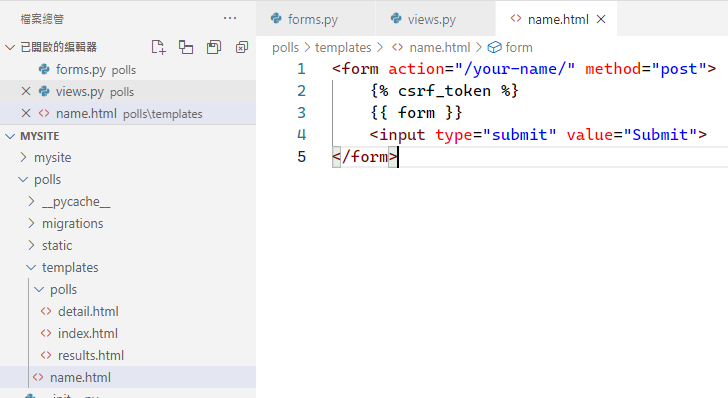
編輯 urls.py 檔案,覆蓋以下程式碼
from django.urls import path

from . import views

app_name = 'polls'

urlpatterns = [
    path('', views.IndexView.as_view(), name='index'),
    path('<int:pk>/', views.DetailView.as_view(), name='detail'),
    path('<int:pk>/results/', views.ResultsView.as_view(), name='results'),
    path('<int:question_id>/vote/', views.vote, name='vote'),
    path('your-name/', views.get_name, name='get_name'),
]
啟動伺服器,進入 http://127.0.0.1:8000/polls/your-name/ 查看
python manege.py runserver
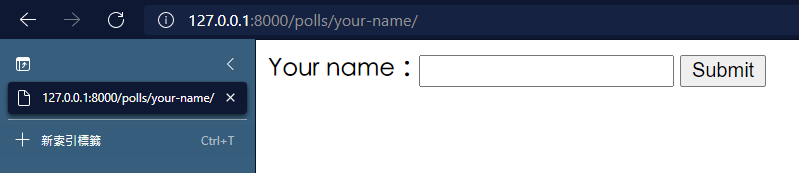
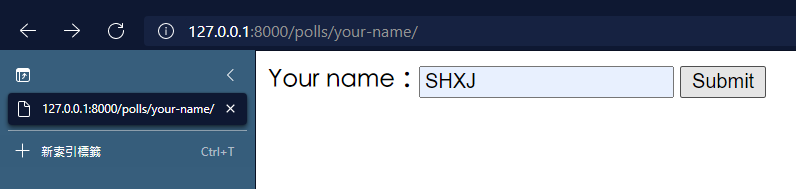
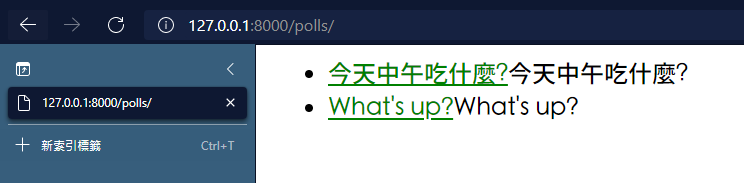
輸入隨意名稱按下 Submit 按鈕,會回到 polls/ 頁面底下
表單進階練習 – 聯絡人
修改 forms.py 檔案,覆蓋成以下程式碼
from django import forms

class NameForm(forms.Form):
    your_name = forms.CharField(label='Your name', max_length=100)

class ContactForm(forms.Form):
    subject = forms.CharField(max_length=100)
    message = forms.CharField(widget=forms.Textarea)
    sender = forms.EmailField()
    cc_myself = forms.BooleanField(required=False)
修改 views.py 檔案,覆蓋成以下程式碼
from django.http import HttpResponse, HttpResponseRedirect
from django.shortcuts import get_object_or_404, render
from django.urls import reverse
from django.views import generic

from .models import Choice, Question
from .forms import NameForm, ContactForm

""" def index(request):
    latest_question_list = Question.objects.order_by('-pub_date')[:5]
    context = {'latest_question_list': latest_question_list,}
    return render(request, 'polls/index.html',context)


def detail(request, question_id):
    question = get_object_or_404(Question, pk=question_id)
    return render(request, 'polls/detail.html', {'question': question})


def results(request, question_id):
    question = get_object_or_404(Question, pk=question_id)
    return render(request, 'polls/results.html', {'question': question})
 """
def process_contact_form(request):
    # if this is a POST request we need to process the form data
    if request.method == 'POST':
        # create a form instance and populate it with data from the request:
        form = ContactForm(request.POST)
        # check whether it's valid:
        if form.is_valid():
            subject = form.cleaned_data['subject']
            message = form.cleaned_data['message']
            sender = form.cleaned_data['sender']
            cc_myself = form.cleaned_data['cc_myself']

            return render(request, 'contact_result.html', {'subject': subject,
            'message':message, 'sender':sender, 'cc_myself':cc_myself})

    # if a GET (or any other method) we'll create a blank form
    else:
        form = ContactForm()

    return render(request, 'contact_form.html', {'form': form})


def get_name(request):
    # if this is a POST request we need to process the form data
    if request.method == 'POST':
        # create a form instance and populate it with data from the request:
        form = NameForm(request.POST)
        # check whether it's valid:
        if form.is_valid():
            # process the data in form.cleaned_data as required
            # ...
            # redirect to a new URL:
            return HttpResponseRedirect('/polls/')

    # if a GET (or any other method) we'll create a blank form
    else:
        form = NameForm()

    return render(request, 'name.html', {'form': form})

class IndexView(generic.ListView):
    template_name = 'polls/index.html'
    context_object_name = 'latest_question_list'

    def get_queryset(self):
        """Return the last five published questions."""
        return Question.objects.order_by('-pub_date')[:5]


class DetailView(generic.DetailView):
    model = Question
    template_name = 'polls/detail.html'


class ResultsView(generic.DetailView):
    model = Question
    template_name = 'polls/results.html'

def vote(request, question_id):
    question = get_object_or_404(Question, pk=question_id)
    try:
        selected_choice = question.choice_set.get(pk=request.POST['choice'])
    except (KeyError, Choice.DoesNotExist):
        # Redisplay the question voting form.
        return render(request, 'polls/detail.html', {
            'question': question,
            'error_message': "You didn't select a choice.",
        })
    else:
        selected_choice.votes += 1
        selected_choice.save()
        # Always return an HttpResponseRedirect after successfully dealing
        # with POST data. This prevents data from being posted twice if a
        # user hits the Back button.
        return HttpResponseRedirect(reverse('polls:results', args=(question.id,)))
在 polls/templates 底下新增一個檔案 contact_form.html ,並且貼上以下程式碼
<form action="" method="post">
    {% csrf_token %}
    {{ form.as_p }}
    <input type="submit" value="Submit">
</form>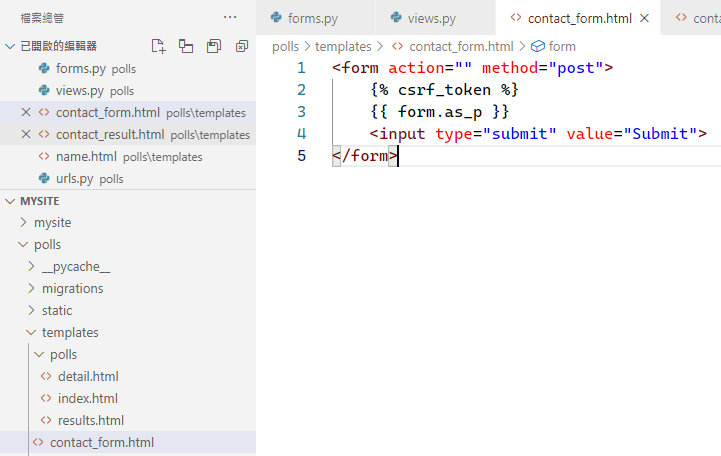
在 polls/templates 底下新增一個檔案 contact_form_result.html,並且貼上以下程式碼
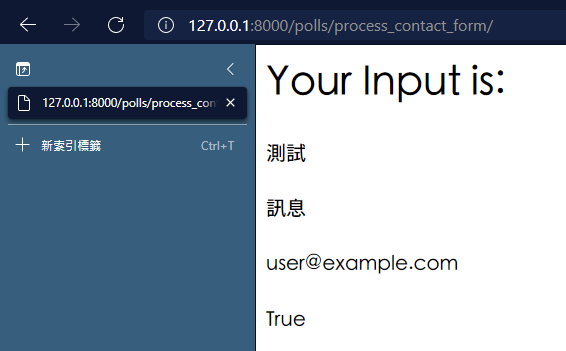
<h1>Your Input is:</h1>

<h4>{{ subject }}</h4>
<h4>{{ message }}</h4>
<h4>{{ sender }}</h4>
<h4>{{ cc_myself }}</h4>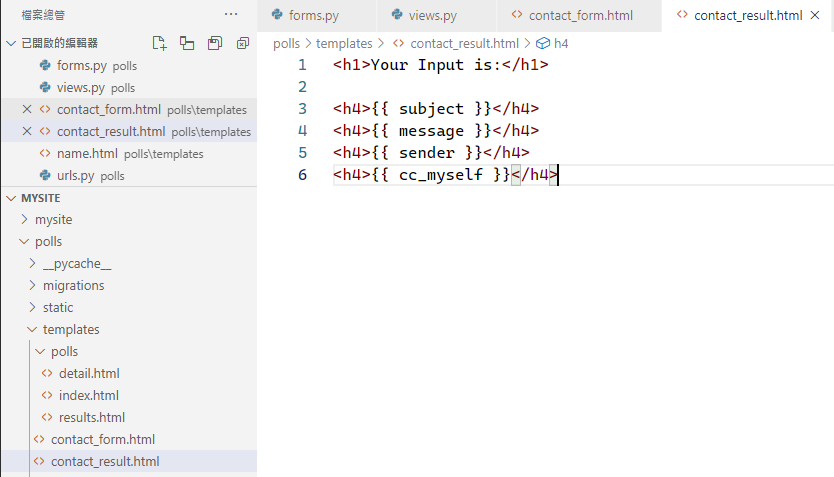
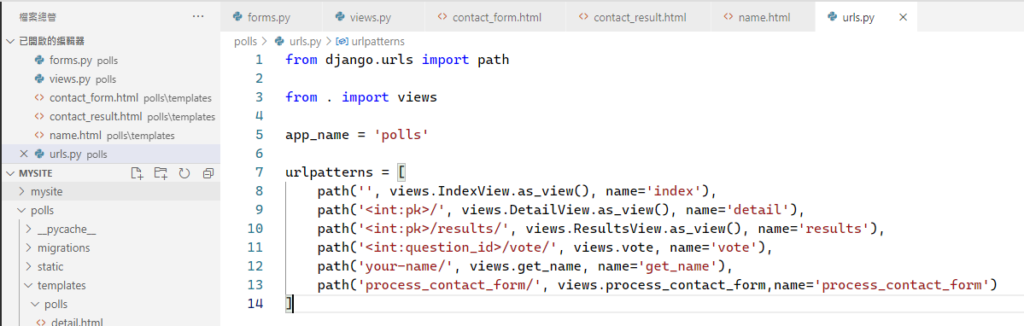
修改 polls/urls.py 檔案,覆蓋以下程式碼
from django.urls import path

from . import views

app_name = 'polls'

urlpatterns = [
    path('', views.IndexView.as_view(), name='index'),
    path('<int:pk>/', views.DetailView.as_view(), name='detail'),
    path('<int:pk>/results/', views.ResultsView.as_view(), name='results'),
    path('<int:question_id>/vote/', views.vote, name='vote'),
    path('your-name/', views.get_name, name='get_name'),
    path('process_contact_form/', views.process_contact_form,name='process_contact_form')
]
開啟網址 http://127.0.0.1:8000/polls/process_contact_form/ 測試
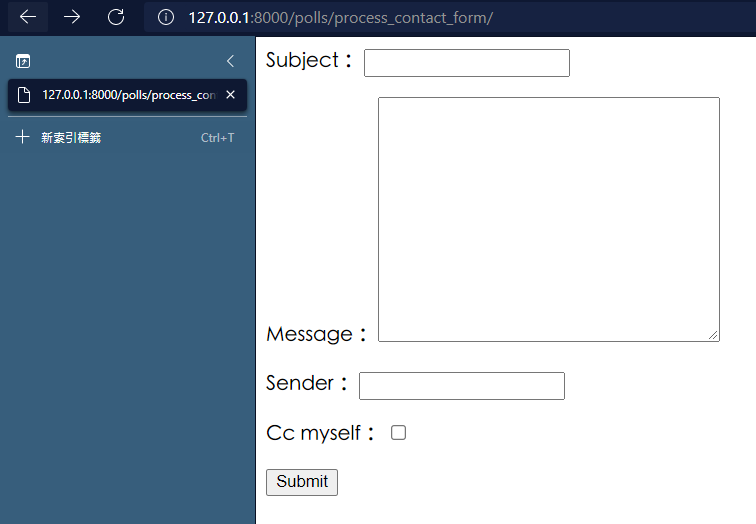
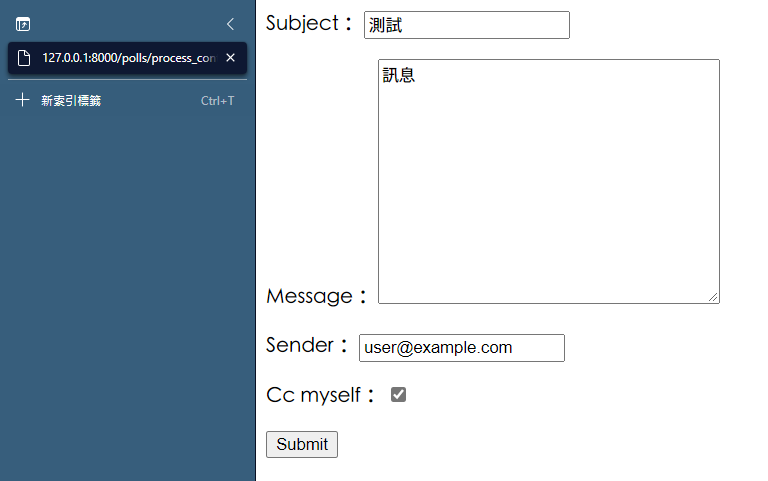
依序填入資訊並且按下 Submit
使用模組建立表單
參考文章: 官方 Document
修改 polls/forms.py 檔案,覆蓋以下程式碼
from django import forms
from django.db import models
from django.forms import ModelForm
from .models import Question

class NameForm(forms.Form):
    your_name = forms.CharField(label='Your name', max_length=100)

class ContactForm(forms.Form):
    subject = forms.CharField(max_length=100)
    message = forms.CharField(widget=forms.Textarea)
    sender = forms.EmailField()
    cc_myself = forms.BooleanField(required=False)

class QuestionForm(ModelForm):
    class Meta:
        model = Question
        fields = ['question_text', 'pub_date']
修改 polls/views.py 檔案,覆蓋以下程式碼
from django.http import HttpResponse, HttpResponseRedirect
from django.shortcuts import get_object_or_404, render
from django.urls import reverse
from django.views import generic

from .models import Choice, Question
from .forms import NameForm, ContactForm, QuestionForm

""" def index(request):
    latest_question_list = Question.objects.order_by('-pub_date')[:5]
    context = {'latest_question_list': latest_question_list,}
    return render(request, 'polls/index.html',context)


def detail(request, question_id):
    question = get_object_or_404(Question, pk=question_id)
    return render(request, 'polls/detail.html', {'question': question})


def results(request, question_id):
    question = get_object_or_404(Question, pk=question_id)
    return render(request, 'polls/results.html', {'question': question})
 """
def create_question(request):
    if request.method == 'POST':
        form = QuestionForm(request.POST)
        if form.is_valid():
            form.save()

            return HttpResponseRedirect('/polls/')
    else:
        form = QuestionForm()

    return render(request, 'question_form.html', {'form': form})

def process_contact_form(request):
    if request.method == 'POST':
        form = ContactForm(request.POST)
        if form.is_valid():
            subject = form.cleaned_data['subject']
            message = form.cleaned_data['message']
            sender = form.cleaned_data['sender']
            cc_myself = form.cleaned_data['cc_myself']

            return render(request, 'contact_result.html', {'subject': subject,
            'message':message, 'sender':sender, 'cc_myself':cc_myself})
    else:
        form = ContactForm()

    return render(request, 'contact_form.html', {'form': form})


def get_name(request):
    if request.method == 'POST':
        form = NameForm(request.POST)
        if form.is_valid():
            return HttpResponseRedirect('/polls/')
    else:
        form = NameForm()

    return render(request, 'name.html', {'form': form})

class IndexView(generic.ListView):
    template_name = 'polls/index.html'
    context_object_name = 'latest_question_list'

    def get_queryset(self):
        """Return the last five published questions."""
        return Question.objects.order_by('-pub_date')[:5]


class DetailView(generic.DetailView):
    model = Question
    template_name = 'polls/detail.html'


class ResultsView(generic.DetailView):
    model = Question
    template_name = 'polls/results.html'

def vote(request, question_id):
    question = get_object_or_404(Question, pk=question_id)
    try:
        selected_choice = question.choice_set.get(pk=request.POST['choice'])
    except (KeyError, Choice.DoesNotExist):
        # Redisplay the question voting form.
        return render(request, 'polls/detail.html', {
            'question': question,
            'error_message': "You didn't select a choice.",
        })
    else:
        selected_choice.votes += 1
        selected_choice.save()
        # Always return an HttpResponseRedirect after successfully dealing
        # with POST data. This prevents data from being posted twice if a
        # user hits the Back button.
        return HttpResponseRedirect(reverse('polls:results', args=(question.id,)))
在 polls/templates 底下建立一個檔案 question_form.html ,並且貼上以下程式碼
<form action="" method="post">
    {% csrf_token %}
    {{ form.as_p }}
    <input type="submit" value="Submit">
</form>
修改 polls/urls.py 檔案,並且覆蓋以下程式碼
from django.urls import path

from . import views

app_name = 'polls'

urlpatterns = [
    path('', views.IndexView.as_view(), name='index'),
    path('<int:pk>/', views.DetailView.as_view(), name='detail'),
    path('<int:pk>/results/', views.ResultsView.as_view(), name='results'),
    path('<int:question_id>/vote/', views.vote, name='vote'),
    path('your-name/', views.get_name, name='get_name'),
    path('process_contact_form/', views.process_contact_form,name='process_contact_form'),
    path('create_question', views.create_question, name='create_question')
]
開啟網址 http://127.0.0.1:8000/polls/create_question,並且填入資料
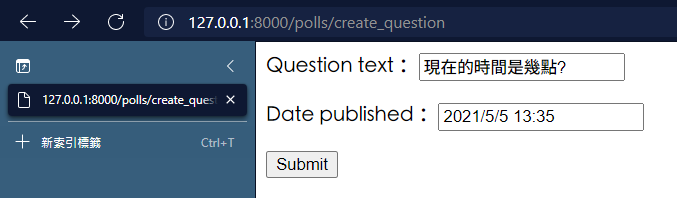
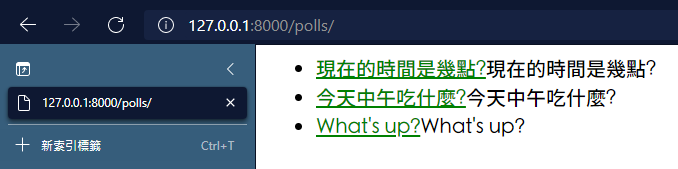
按下 Submit 按鈕,可以看到已經新增了一個問題

-
車牌回來了
但是現在汽門漏氣,維修ing...
- 受保護的內容: NAS 版 Mathbot 管理網站與 Linebot 啟動方法 - 2024 年 11 月 15 日
- Realtime 啥鬼的 - 2021 年 6 月 15 日
- nodejs 數學遊戲 - 2021 年 6 月 8 日
在〈week11 表單建立以及操作〉中有 1 則留言