
今天是線上教學的第二天
家裡冷氣好舒服
–
新增一個資料夾並且在該資料夾開啟 VScode
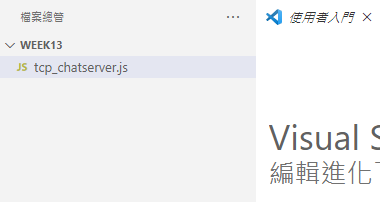
新增一個檔案 tcp_chatserver.js 並且貼上以下程式碼
// Load the TCP Library
net = require('net');

// Keep track of the chat clients
var clients = [];

// Start a TCP Server
net.createServer((socket) => {

    // Identify this client
    socket.name = socket.remoteAddress + ":" + socket.remotePort

    // Put this new client in the list
    clients.push(socket);

    // Send a nice welcome message and announce
    socket.write("Welcome " + socket.name + "\n");
    broadcast(socket.name + " joined the chat\n", socket);

    // Handle incoming messages from clients.
    socket.on('data', function (data) {
        var index = data.indexOf('/nickname ')
        if (index != -1) {
            this.name = data.slice(index + 10).toString();
            return;
        }
        var index = data.indexOf('/msg ')
        if (index != -1) {
            var res = data.toString().split(" ");
            var name = res[1];
            var msg = res[2];
            privateMessage(msg, name.toString());
            return;
        }
        broadcast(socket.name + "> " + data, socket);
    });

    // Remove the client from the list when it leaves
    socket.on('end', function () {
        clients.splice(clients.indexOf(socket), 1);
        broadcast(socket.name + " left the chat.\n");
    });
    function privateMessage(message, receiver_name) {
        clients.forEach(function (client) {
            // Don't want to send it to sender
            if (client.name === receiver_name) {
                client.write(message);
            }
        });
    }
    // Send a message to all clients
    function broadcast(message, sender) {
        clients.forEach(function (client) {
            // Don't want to send it to sender
            if (client === sender) return;
            client.write(message);
        });
        // Log it to the server output too
        process.stdout.write(message)
    }

}).listen(5000);

// Put a friendly message on the terminal of the server.
console.log("Chat server running at port 5000\n");
新增一個檔案 tcpClient.js 並且貼上以下程式碼
const net = require('net');
const { exit } = require('process');

const readline = require('readline');
const rl = readline.createInterface({
    input: process.stdin,
    output: process.stdout
});

const client = net.createConnection({ port: 5000 }, () => {
    // 'connect' listener.
    console.log('connected to server!');

});

client.on('data', (msg) => {
    console.log(`Client Received: ${msg}`);
})

console.log('Please Input your data:')
rl.on('line', (input) => {
    // console.log(`Received: ${input}`);
    if (input == 'exit') {
        client.end();
        exit();
    }
    client.write(input);
});

client.on('end', () => {
    console.log('disconnected from server');
});
好了之後首先在終端機執行 tcp_chatserver.js
node tcp_chatserver.js
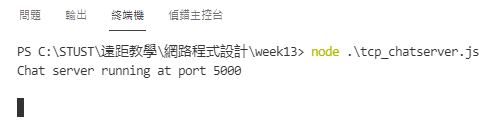
之後再開啟三個終端機,都執行 client 端
node tcpClient.js
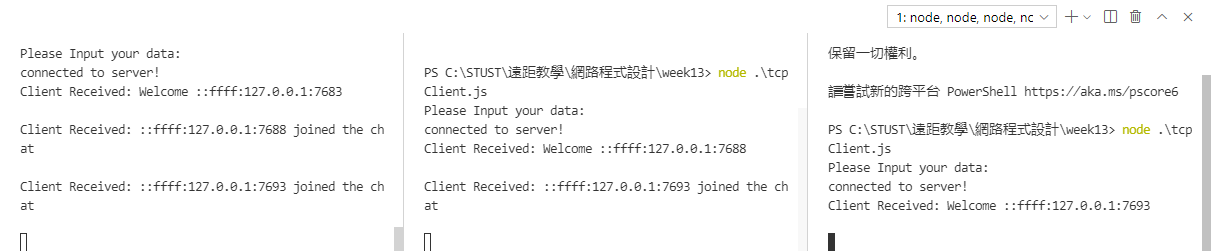
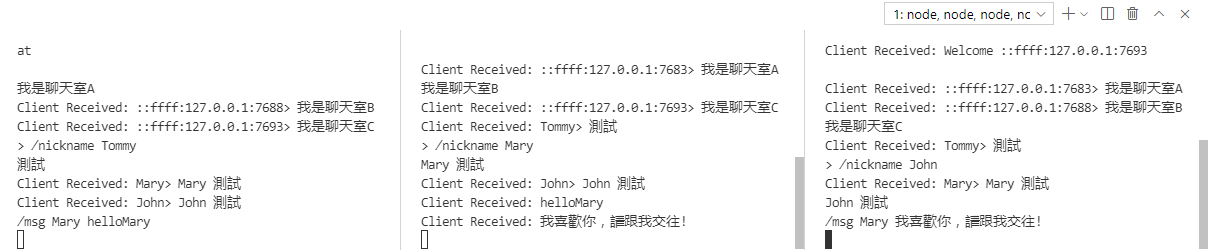
再來這三個聊天室就可以互相聊天
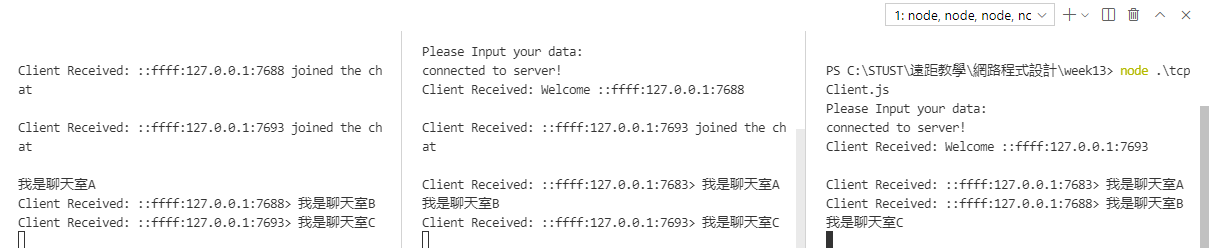
為伺服器加上暱稱 (Nickname)
開啟聊天室之後,客戶端可以設定自己的暱稱
在聊天室A輸入以下的指令變更暱稱
/nickname Tommy
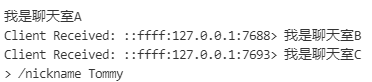
之後再次輸入訊息並查看其他聊天室,可以發現暱稱變成 Tommy
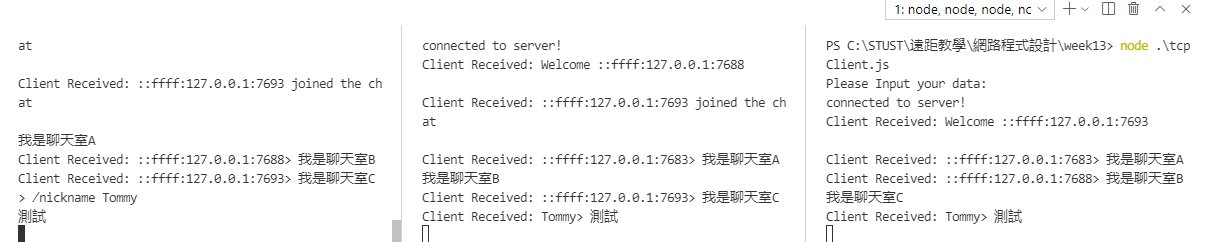
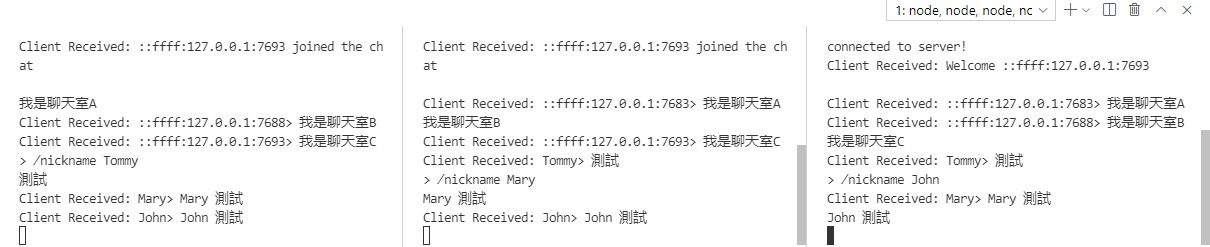
更改所有人的暱稱並且測試
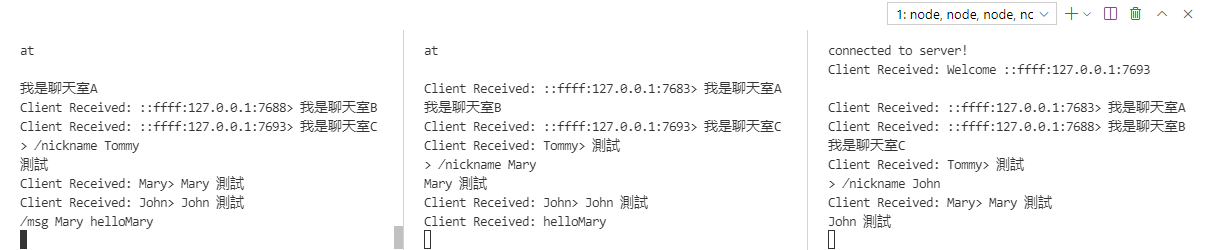
傳送私訊給其他聊天室
之後就可以傳送私訊給其他人
在聊天室A輸入以下的指令傳送訊息給聊天室B(Mary)
/msg Mary helloMary
試著用 John 傳送訊息給 Mary 告白
/msg Mary 我喜歡你,請跟我交往!

資工系所碩二畢
-
車牌回來了
但是現在汽門漏氣,維修ing...
-
車牌回來了
但是現在汽門漏氣,維修ing...
Latest posts by SHXJ (see all)
- 受保護的內容: NAS 版 Mathbot 管理網站與 Linebot 啟動方法 - 2024 年 11 月 15 日
- Realtime 啥鬼的 - 2021 年 6 月 15 日
- nodejs 數學遊戲 - 2021 年 6 月 8 日