
接著繼續 week three 的部分,首先建立環境使用 week4 資料夾,並且啟動虛擬環境
前置處理
cd C:\django_projects
mkdir week4
cd week4
python -m venv env
.\env\Scripts\activate.bat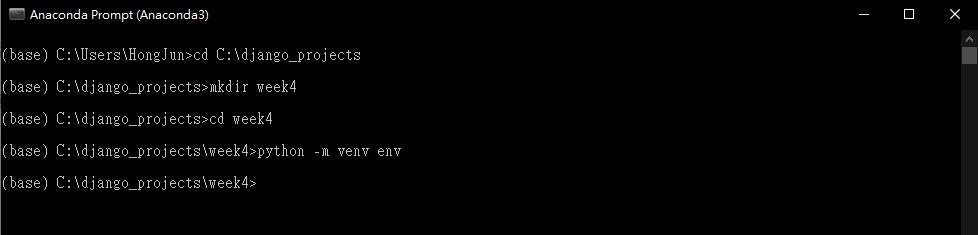

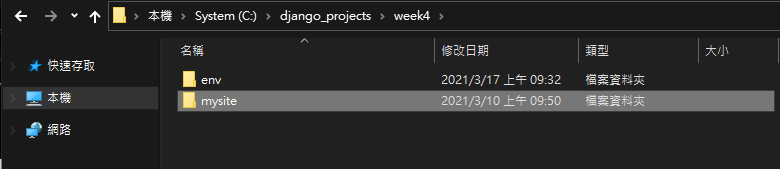
下載並將 week three 的成果解壓縮到 week4,點我下載
接著安裝 django
pip install django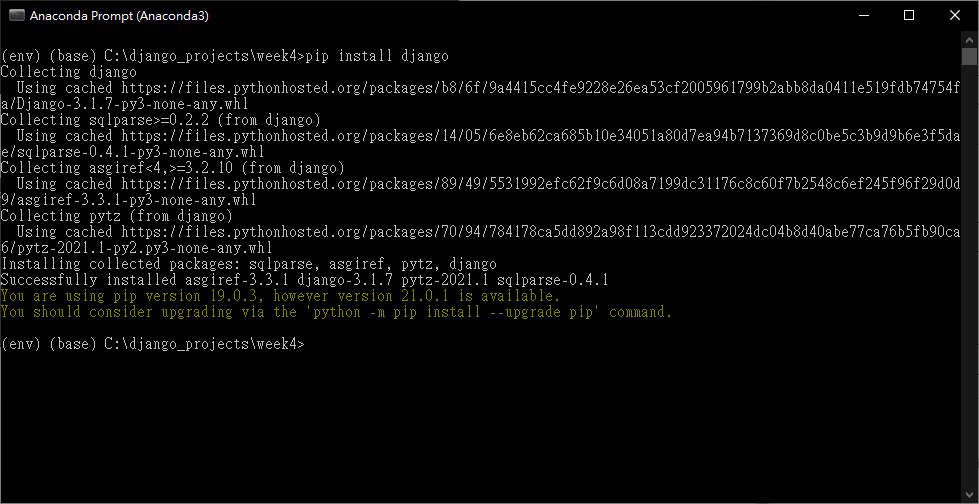
啟動 django 伺服器並且測試功能是否正常,帳密為
- 帳號: admin
- 密碼: 123456
cd mysite
python manage.py runserver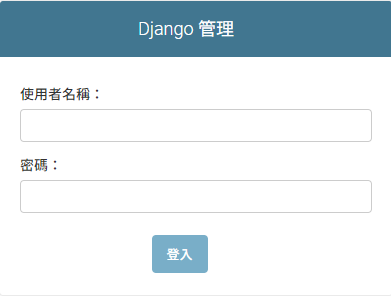
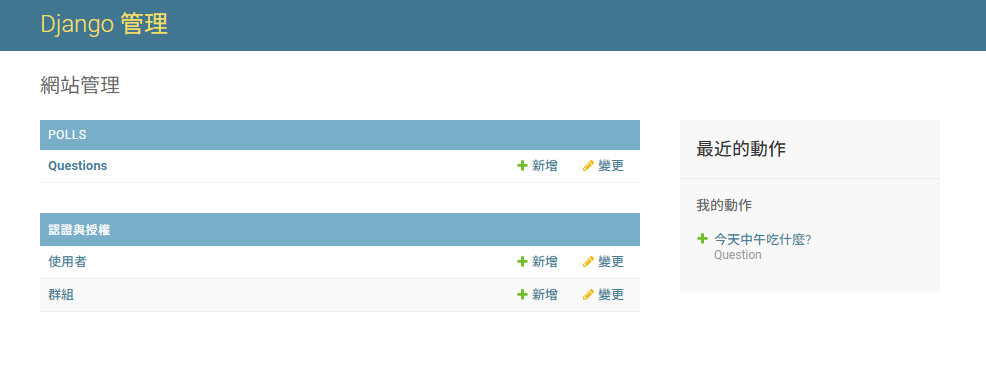
使用 Ctrl + C 關閉啟動的伺服器
設定投票樣板
開啟 VSCode
code .開啟 polls/templates/polls/detail.html 檔案,替換成以下內容
<h1>{{ question.question_text }}</h1>

{% if error_message %}<p><strong>{{ error_message }}</strong></p>{% endif %}

<form action="{% url 'polls:vote' question.id %}" method="post">
{% csrf_token %}
{% for choice in question.choice_set.all %}
    <input type="radio" name="choice" id="choice{{ forloop.counter }}" value="{{ choice.id }}">
    <label for="choice{{ forloop.counter }}">{{ choice.choice_text }}</label><br>
{% endfor %}
<input type="submit" value="Vote">
</form>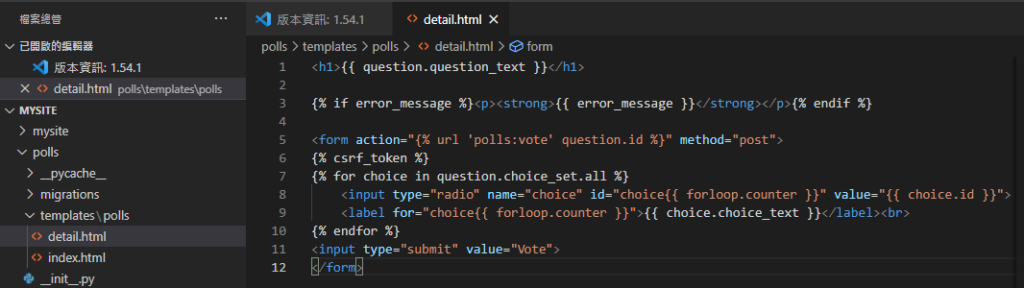
開啟 polls/views.py 檔案,替換成以下內容
from django.shortcuts import  get_object_or_404, render
from django.http import HttpResponse, HttpResponseRedirect
from django.urls import reverse
from .models import Choice, Question


def index(request):
    latest_question_list = Question.objects.order_by('-pub_date')[:5]
    context = {'latest_question_list': latest_question_list,}
    return render(request, 'polls/index.html',context)


def detail(request, question_id):
    question = get_object_or_404(Question, pk=question_id)
    return render(request, 'polls/detail.html', {'question': question})


def results(request, question_id):
    response = "You're looking at the results of question %s."
    return HttpResponse(response % question_id)

def vote(request, question_id):
    question = get_object_or_404(Question, pk=question_id)
    try:
        selected_choice = question.choice_set.get(pk=request.POST['choice'])
    except (KeyError, Choice.DoesNotExist):
        return render(request, 'polls/detail.html', {
            'question': question,
            'error_message': "You didn't select a choice.",
        })
    else:
        selected_choice.votes += 1
        selected_choice.save()
        return HttpResponseRedirect(reverse('polls:results', args=(question.id,)))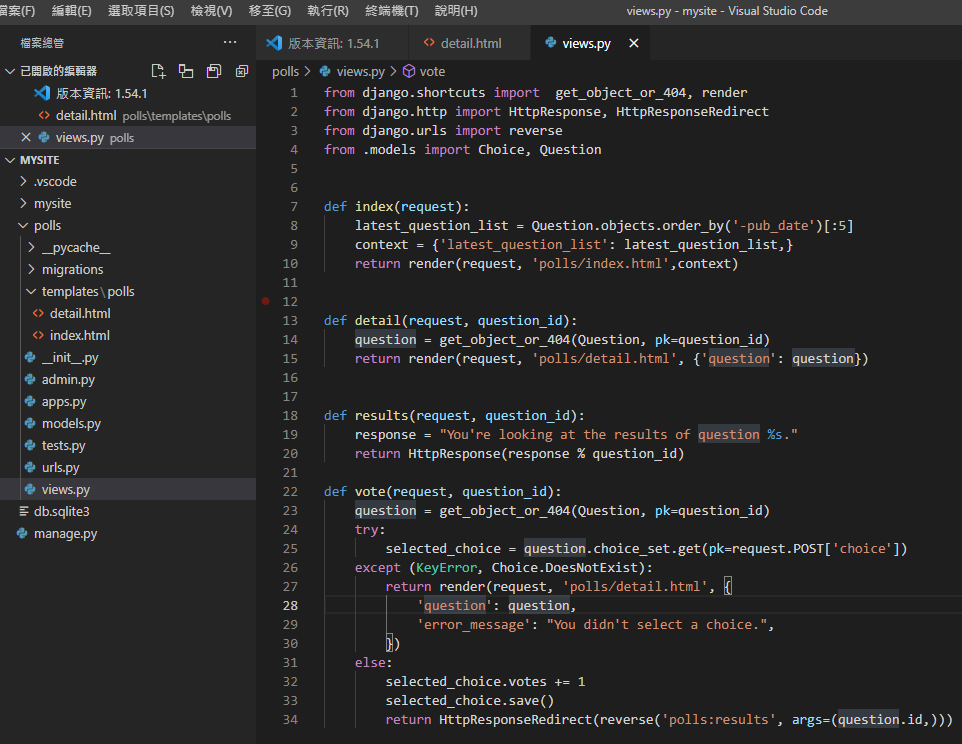
再來要更改顯示的結果,一樣編輯 polls/views.py 檔案,替換成以下程式碼
from django.shortcuts import  get_object_or_404, render
from django.http import HttpResponse, HttpResponseRedirect
from django.urls import reverse
from .models import Choice, Question


def index(request):
    latest_question_list = Question.objects.order_by('-pub_date')[:5]
    context = {'latest_question_list': latest_question_list,}
    return render(request, 'polls/index.html',context)


def detail(request, question_id):
    question = get_object_or_404(Question, pk=question_id)
    return render(request, 'polls/detail.html', {'question': question})


def results(request, question_id):
    question = get_object_or_404(Question, pk=question_id)
    return render(request, 'polls/results.html', {'question': question})

def vote(request, question_id):
    question = get_object_or_404(Question, pk=question_id)
    try:
        selected_choice = question.choice_set.get(pk=request.POST['choice'])
    except (KeyError, Choice.DoesNotExist):
        return render(request, 'polls/detail.html', {
            'question': question,
            'error_message': "You didn't select a choice.",
        })
    else:
        selected_choice.votes += 1
        selected_choice.save()
        return HttpResponseRedirect(reverse('polls:results', args=(question.id,)))
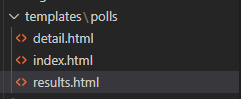
在 polls/templates/polls 底下新增一個檔案 results.html
將以下的程式碼貼入 results.html 檔案中
<h1>{{ question.question_text }}</h1>

<ul>
{% for choice in question.choice_set.all %}
    <li>{{ choice.choice_text }} -- {{ choice.votes }} vote{{ choice.votes|pluralize }}</li>
{% endfor %}
</ul>

<a href="{% url 'polls:detail' question.id %}">Vote again?</a>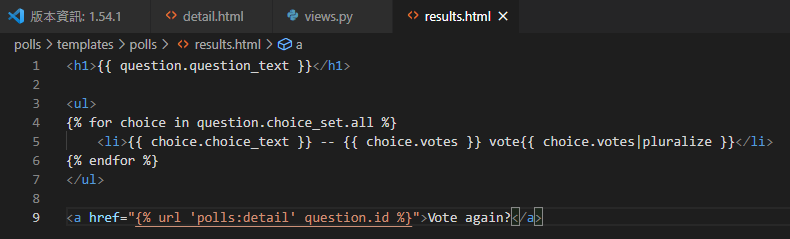
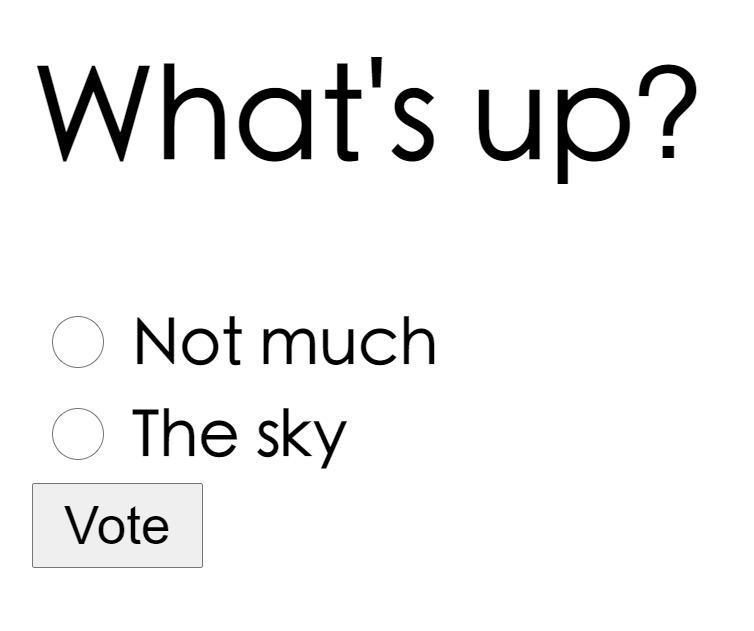
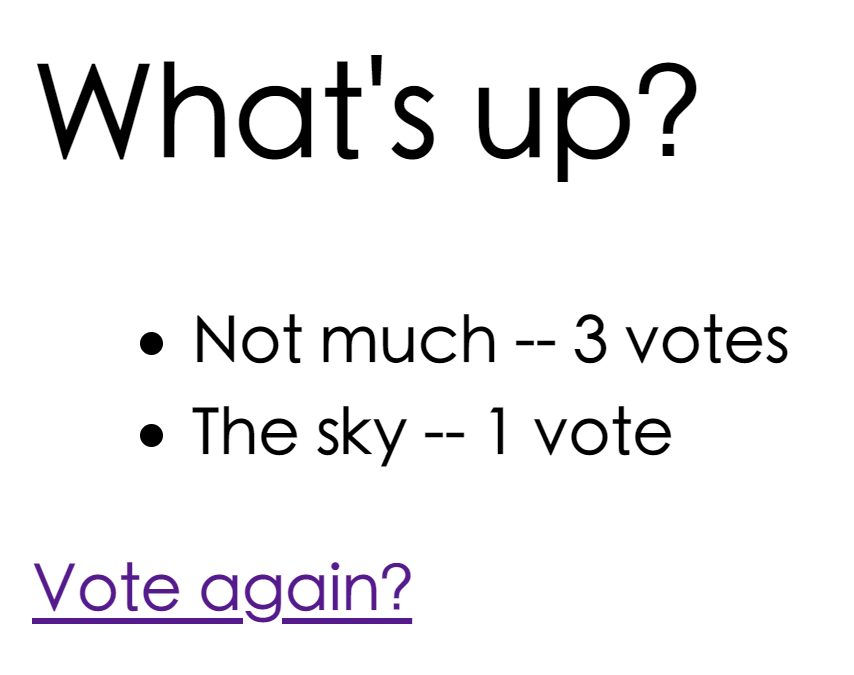
現在,啟動 django 伺服器試試看
python manage.py runserverhttp://127.0.0.1:8000/polls/1/
簡化程式碼
開啟檔案 polls/urls.py,將程式修改為以下
from django.urls import path

from . import views

app_name = 'polls'
urlpatterns = [
    path('', views.IndexView.as_view(), name='index'),
    path('<int:pk>/', views.DetailView.as_view(), name='detail'),
    path('<int:pk>/results/', views.ResultsView.as_view(), name='results'),
    path('<int:question_id>/vote/', views.vote, name='vote'),
]
開啟檔案 polls/views.py,修改成以下程式碼
from django.shortcuts import  get_object_or_404, render
from django.http import HttpResponse, HttpResponseRedirect
from django.urls import reverse
from django.views import generic
from .models import Choice, Question

class IndexView(generic.ListView):
    template_name = 'polls/index.html'
    context_object_name = 'latest_question_list'

    def get_queryset(self):
        """Return the last five published questions."""
        return Question.objects.order_by('-pub_date')[:5]


class DetailView(generic.DetailView):
    model = Question
    template_name = 'polls/detail.html'


class ResultsView(generic.DetailView):
    model = Question
    template_name = 'polls/results.html'
""" def index(request):
    latest_question_list = Question.objects.order_by('-pub_date')[:5]
    context = {'latest_question_list': latest_question_list,}
    return render(request, 'polls/index.html',context)


def detail(request, question_id):
    question = get_object_or_404(Question, pk=question_id)
    return render(request, 'polls/detail.html', {'question': question})


def results(request, question_id):
    question = get_object_or_404(Question, pk=question_id)
    return render(request, 'polls/results.html', {'question': question}) """

def vote(request, question_id):
    question = get_object_or_404(Question, pk=question_id)
    try:
        selected_choice = question.choice_set.get(pk=request.POST['choice'])
    except (KeyError, Choice.DoesNotExist):
        return render(request, 'polls/detail.html', {
            'question': question,
            'error_message': "You didn't select a choice.",
        })
    else:
        selected_choice.votes += 1
        selected_choice.save()
        return HttpResponseRedirect(reverse('polls:results', args=(question.id,)))
開啟網頁,可以發現沒有變化,但是成功縮短了程式碼。
美化網站 (CSS) 靜態文件
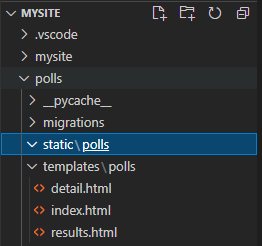
在 polls 底下建立一個 static 目錄,並且在 static 目錄裡面再新增一個 polls 目錄
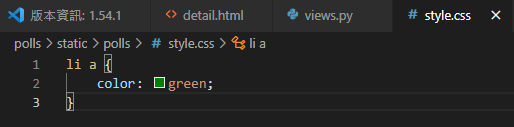
在 polls/static/polls/ 底下建立一個 style.css 檔案,並且貼入以下程式碼
li a {
    color: green;
}
編輯 polls/templates/polls/index.html 檔案,貼上以下內容
{% load static %}

<link rel="stylesheet" type="text/css" href="{% static 'polls/style.css' %}">
{% if latest_question_list %}
    <ul>
    {% for question in latest_question_list %}
        <li><a href="{% url 'polls:detail' question.id %}">{{ question.question_text }}</a>{{ question.question_text }}</a></li>
    {% endfor %}
    </ul>
{% else %}
    <p>No polls are available.</p>
{% endif %}
重新開啟伺服器,進入 http://127.0.0.1:8000/polls/ ,會發現字變成綠色的了


資工系所碩二畢
-
車牌回來了
但是現在汽門漏氣,維修ing...
-
車牌回來了
但是現在汽門漏氣,維修ing...
Latest posts by SHXJ (see all)
- 受保護的內容: NAS 版 Mathbot 管理網站與 Linebot 啟動方法 - 2024 年 11 月 15 日
- Realtime 啥鬼的 - 2021 年 6 月 15 日
- nodejs 數學遊戲 - 2021 年 6 月 8 日